VS-2480 · VS-1880 · VS-1824 · VS-1680

Your VS console,
wireless and in your hands

VS_Remote turns tablets, laptops and phones into a wireless control surface for your VS console. Mix from the live room, tweak effects without menus, set up routing on a visual diagram, give every musician their own monitor mix and run your recording session from a DAW-style view.

4VS console models
24channels & tracks
8editable effects (max.)
100console scenes (max.)
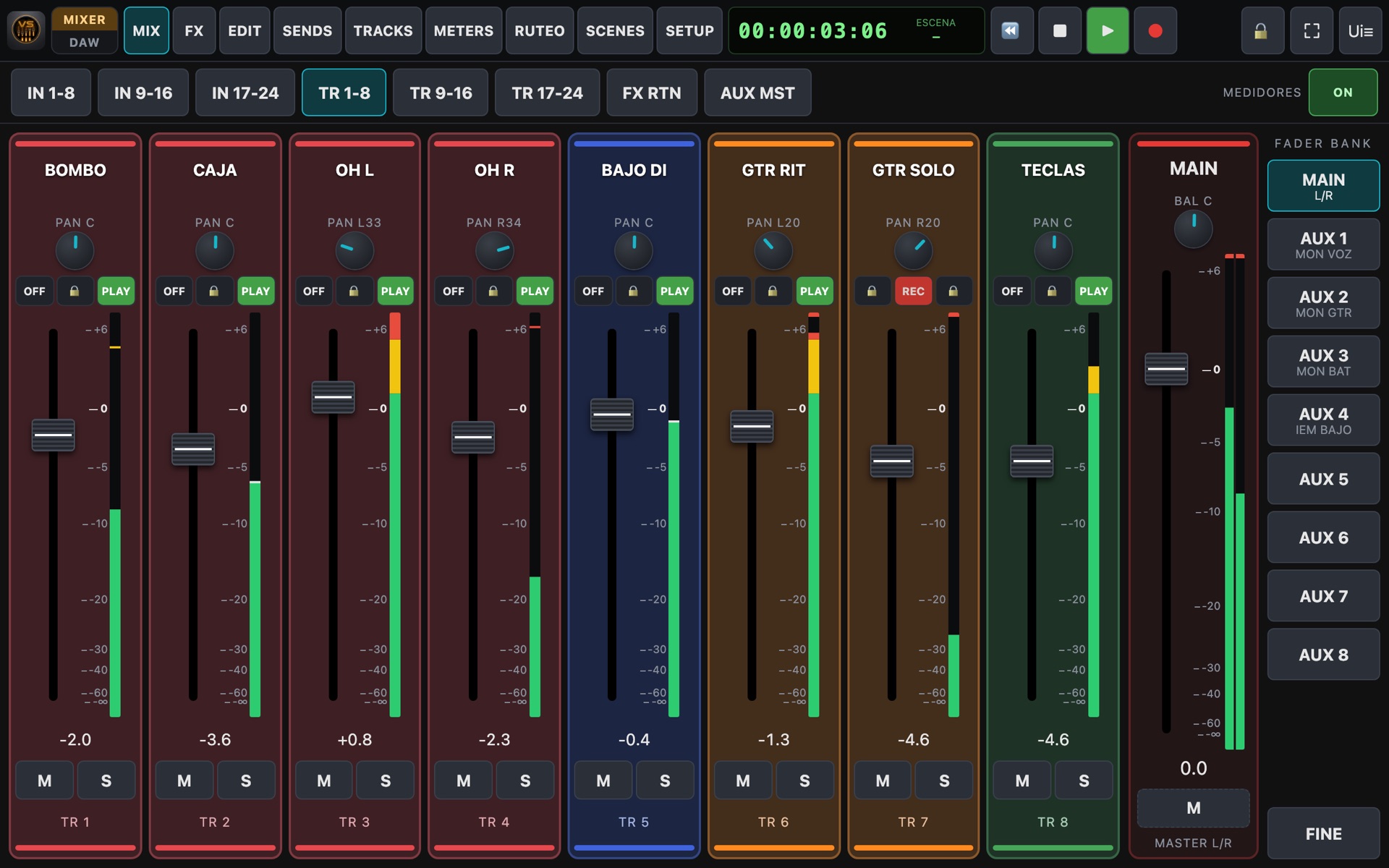
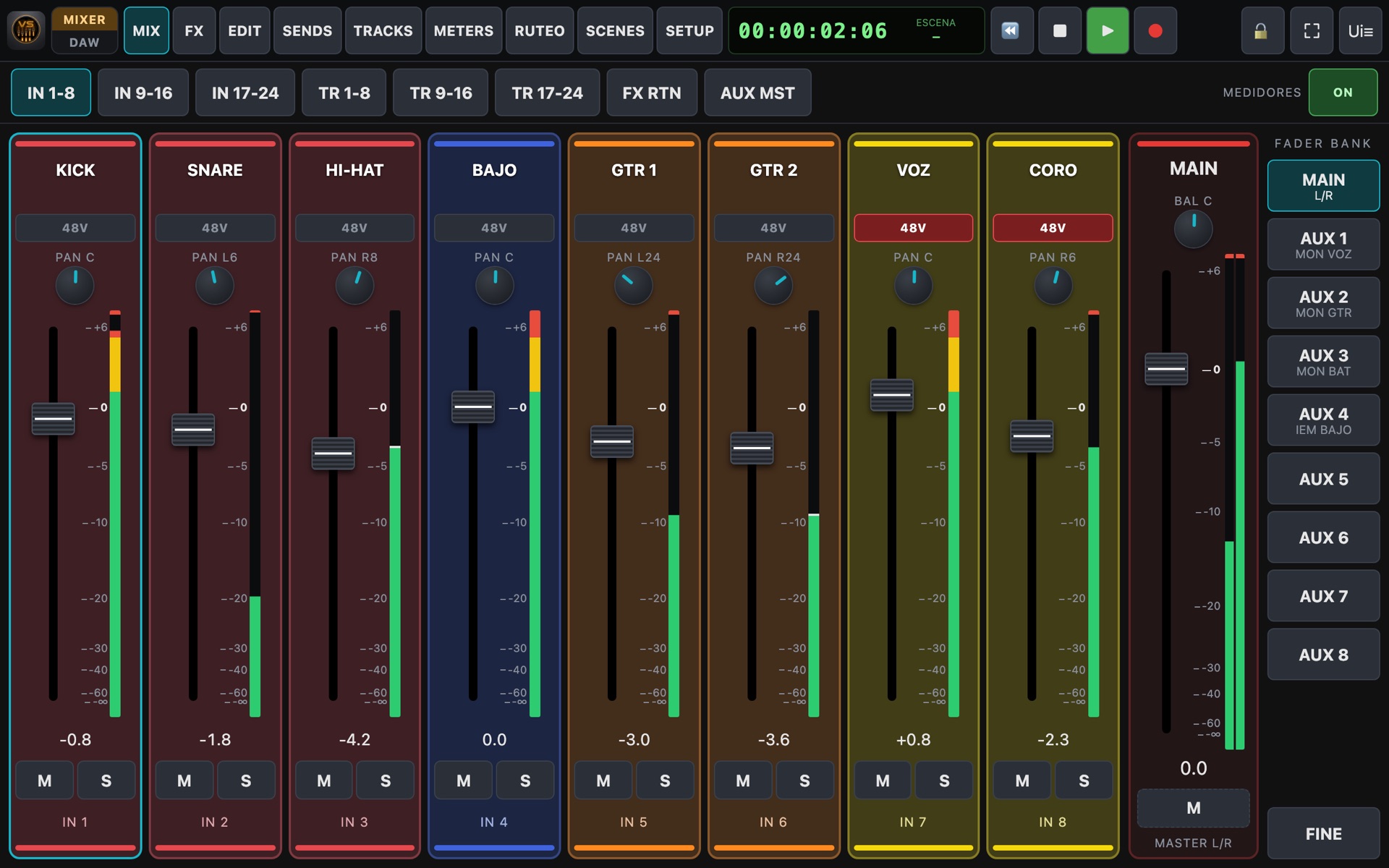
VS_Remote mixer on a tablet
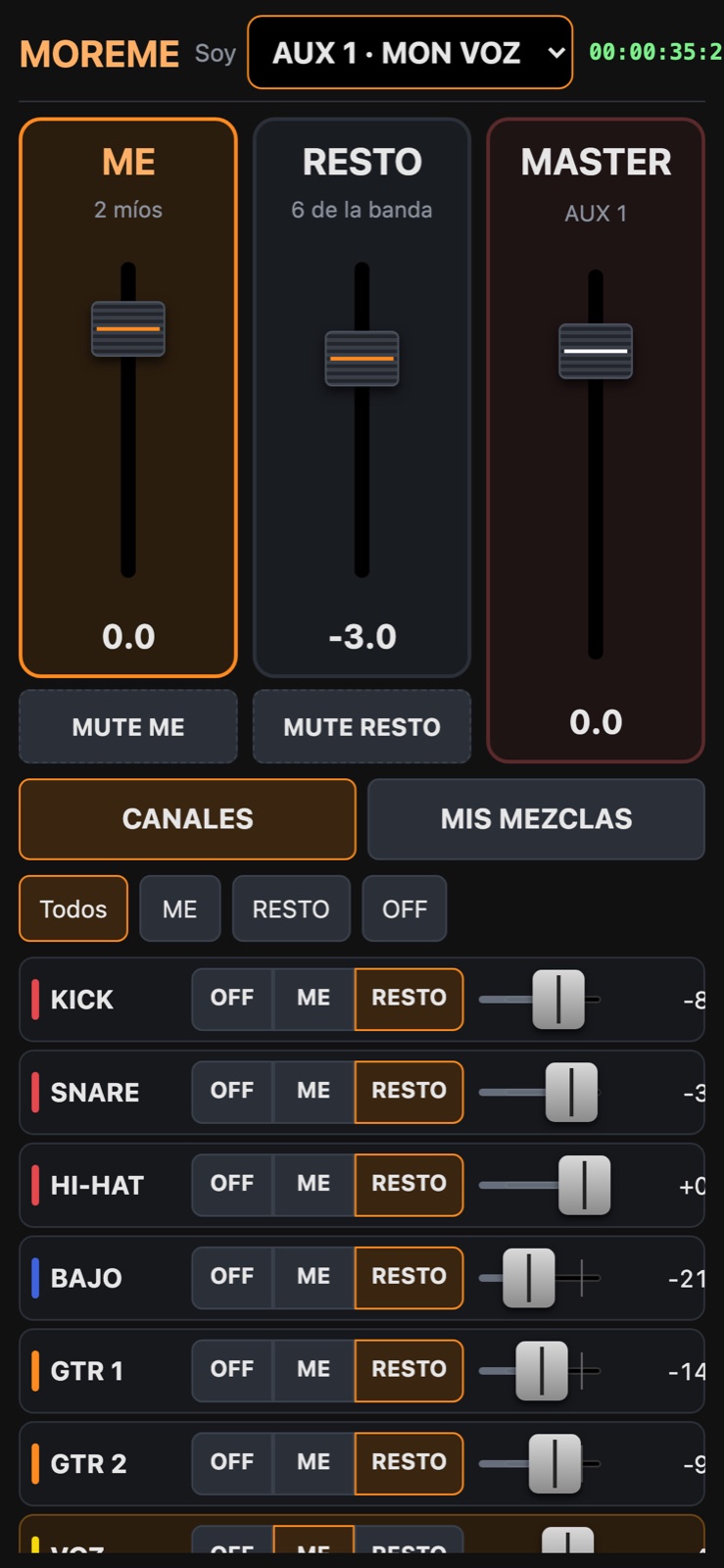
MOREME personal mix on a phone
Why VS_Remote

All the power of your VS, on a touch screen

A modern web console, inspired by today's digital mixers, that opens in the browser of any tablet or laptop. Nothing to install on the tablets.

Full wireless mixing

Faders, pans, sends, mute and solo for inputs, tracks, effect returns and auxes. Move it on the tablet and it moves on the console, and the other way round.

Effects, EQ & dynamics without menus

Every processor (up to 8, depending on model and boards) with every parameter in view and presets by name. Drag-to-edit EQ curve and, on the VS-2480, compressor and expander on every channel.

Visual routing

A diagram shows where your signal flows: inputs, channels, buses, tracks and outputs. Change routing with a tap and save it as profiles.

DAW mode

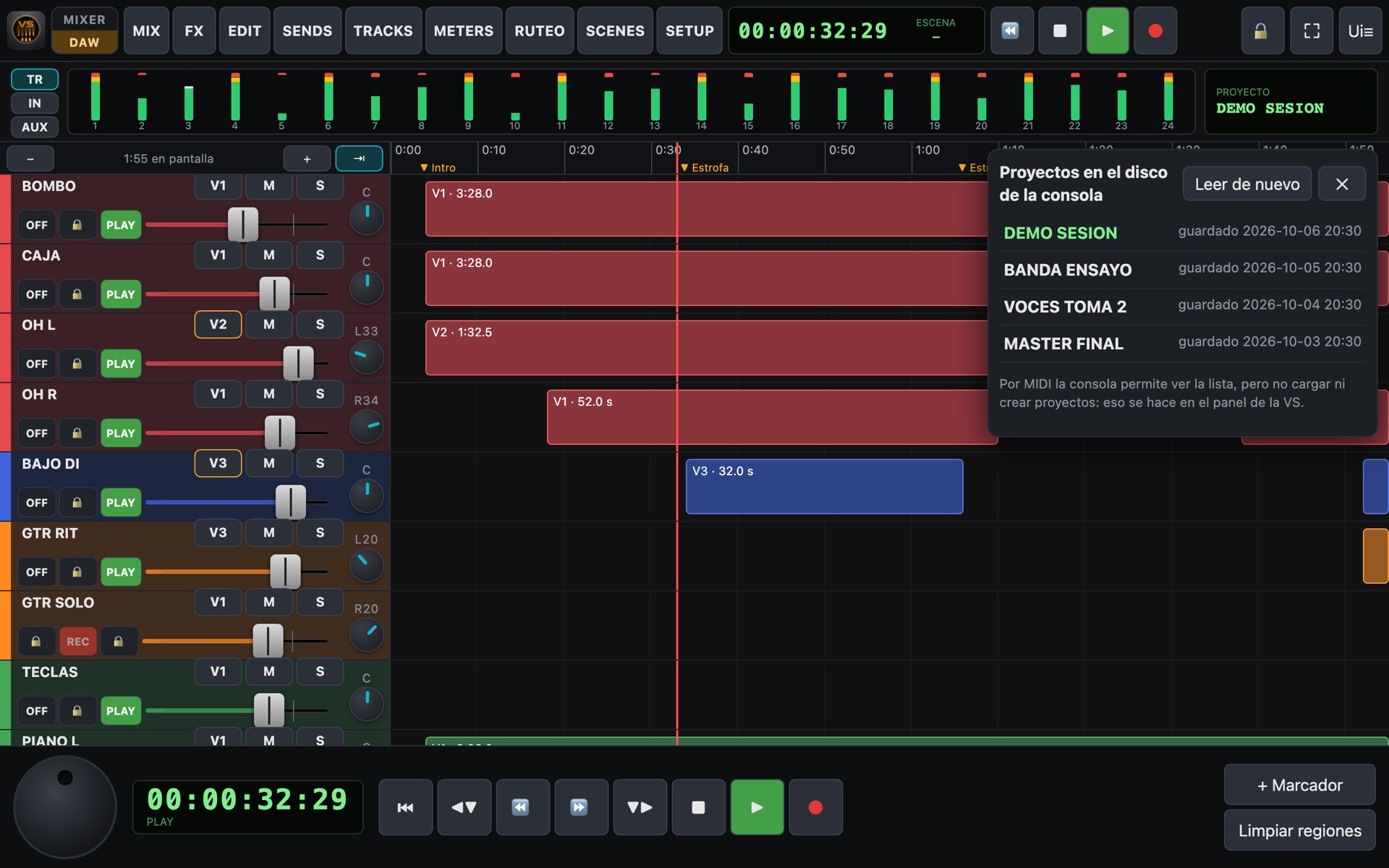
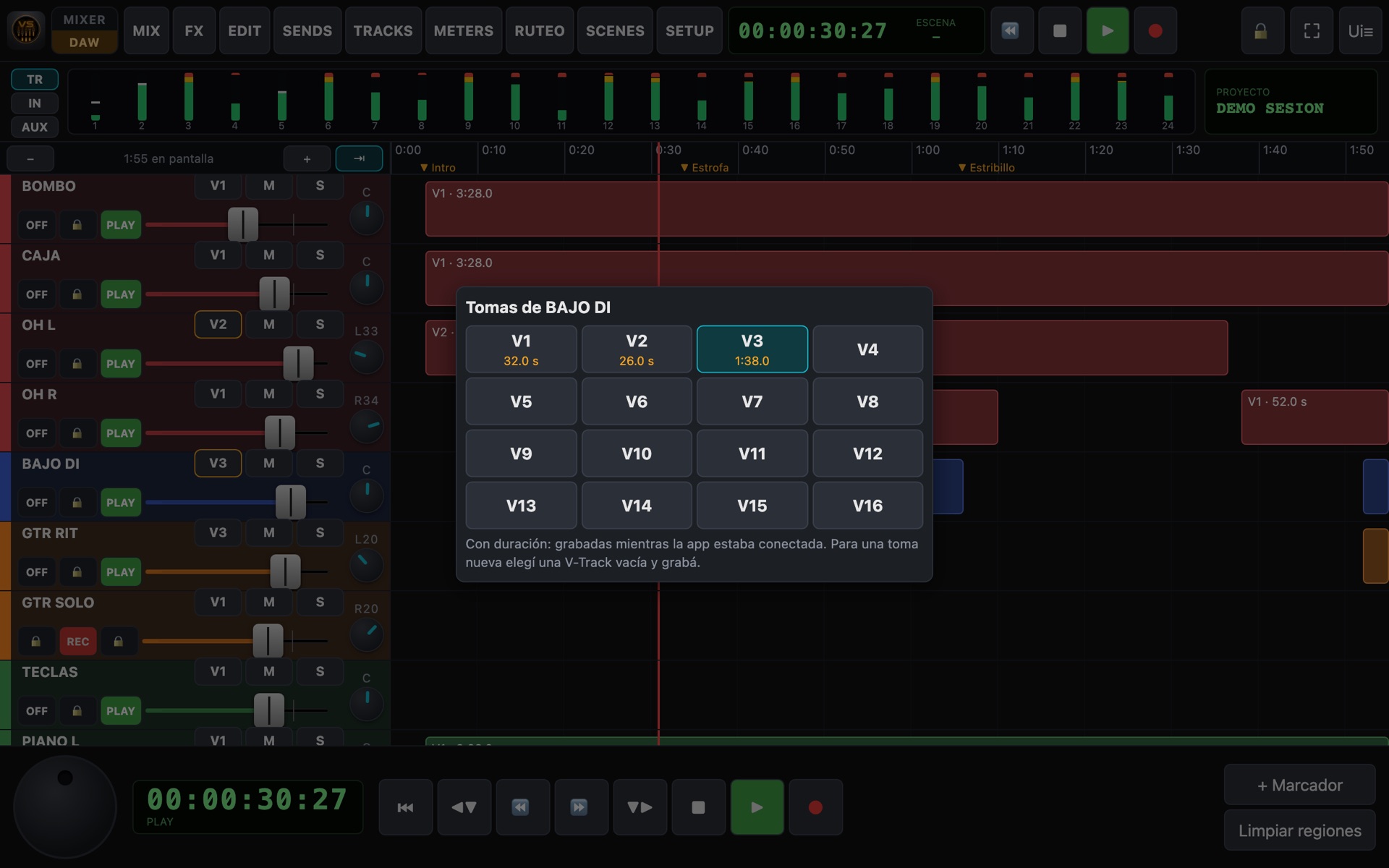
Tracks on a timeline, jog wheel, markers, takes (V-Tracks) and the list of projects on the console's disk.

Personal monitor mixes: MOREME

Every musician builds their own headphone mix from their phone: "more me" and "the rest of the band".

Instant scenes

Save the whole mix (faders, sends, EQ, dynamics, effects and names) and recall it with a tap.

Backup & restore

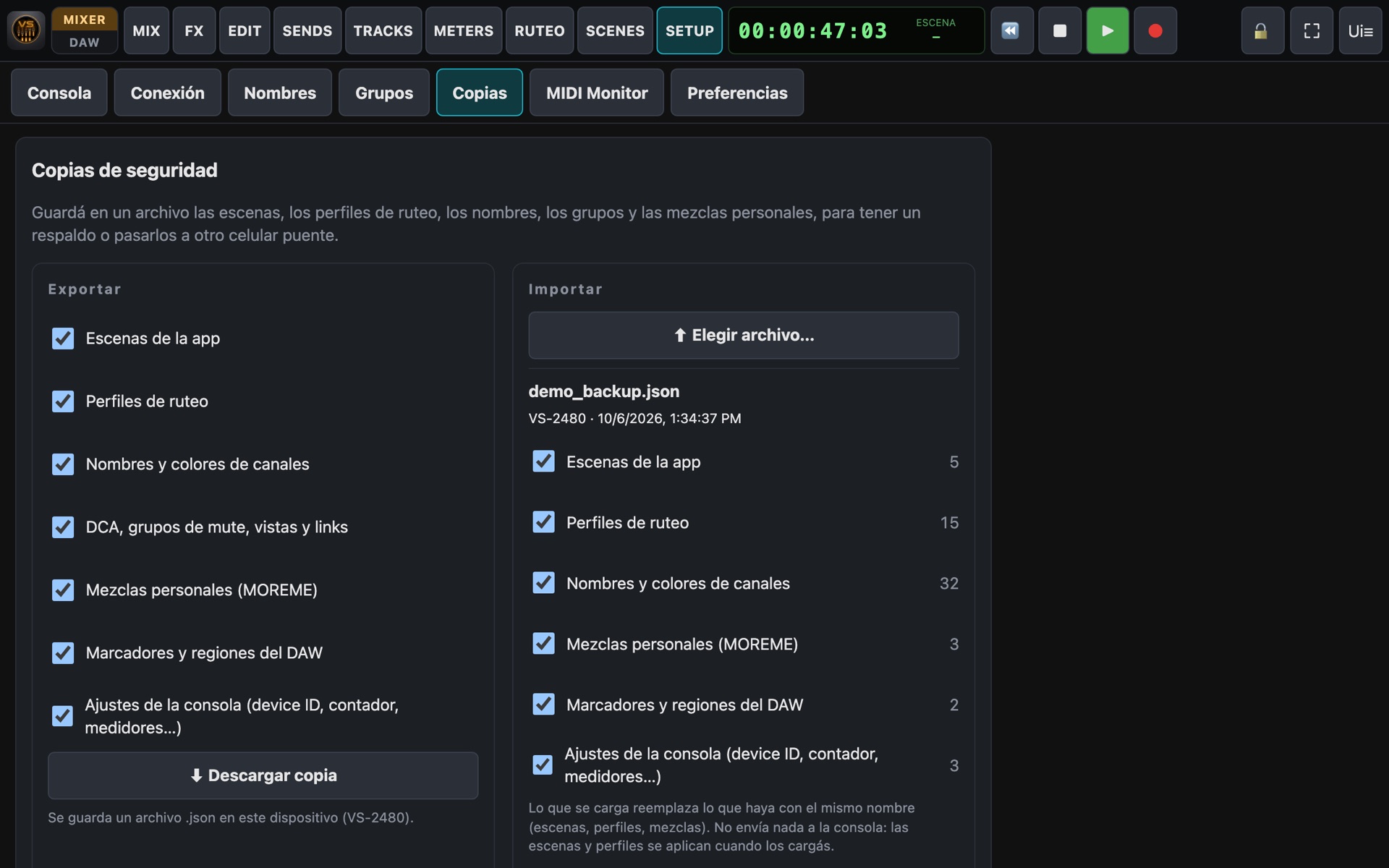
Export scenes, routing profiles, names, groups and mixes to a file, and import them on another device.

Many screens at once

The engineer on one tablet, the producer on another and every musician on their phone, all in sync.

Control only, never audio. Only commands (move a fader, play, mute…) and meter data travel over the network. Sound keeps flowing through your VS's usual connections: if the WiFi drops, the console keeps sounding exactly the same.

Real screenshots

This is how it looks on a tablet

Pick a screen. These are captures of the running app (with the demo console). Tap the image to see it full size.

Screen:
Input layer IN 1-8
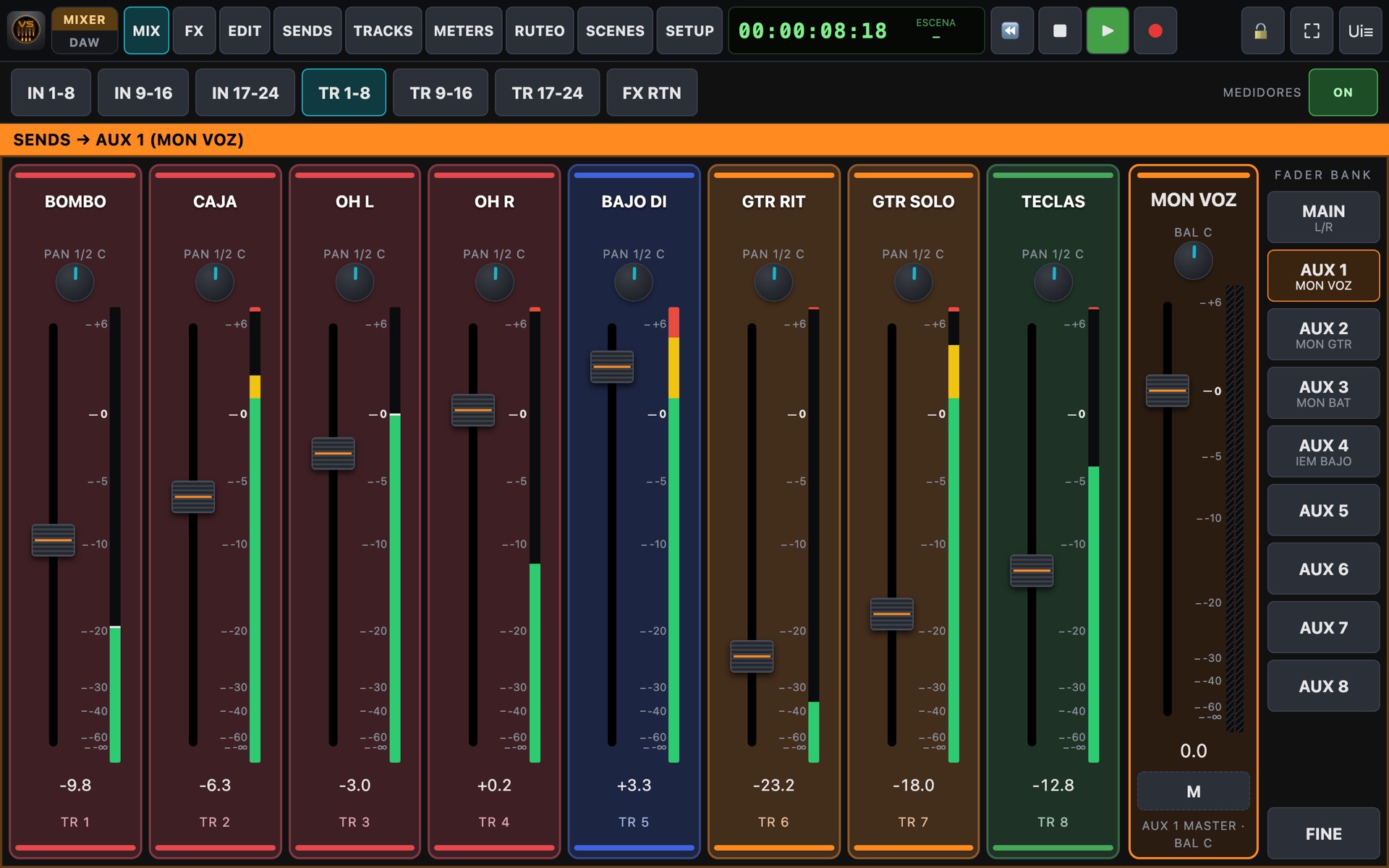
Track layer TR 1-8
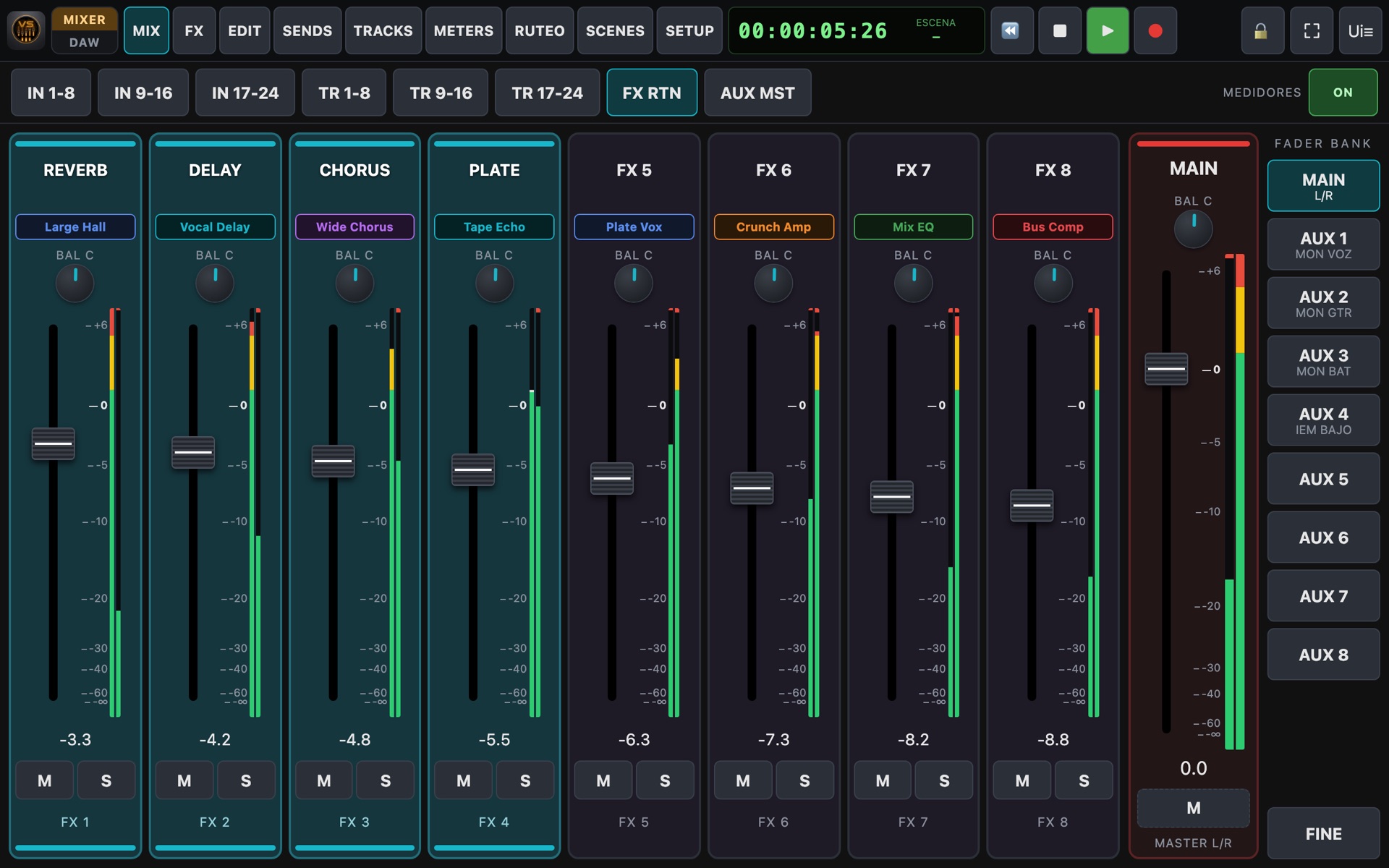
Effect returns
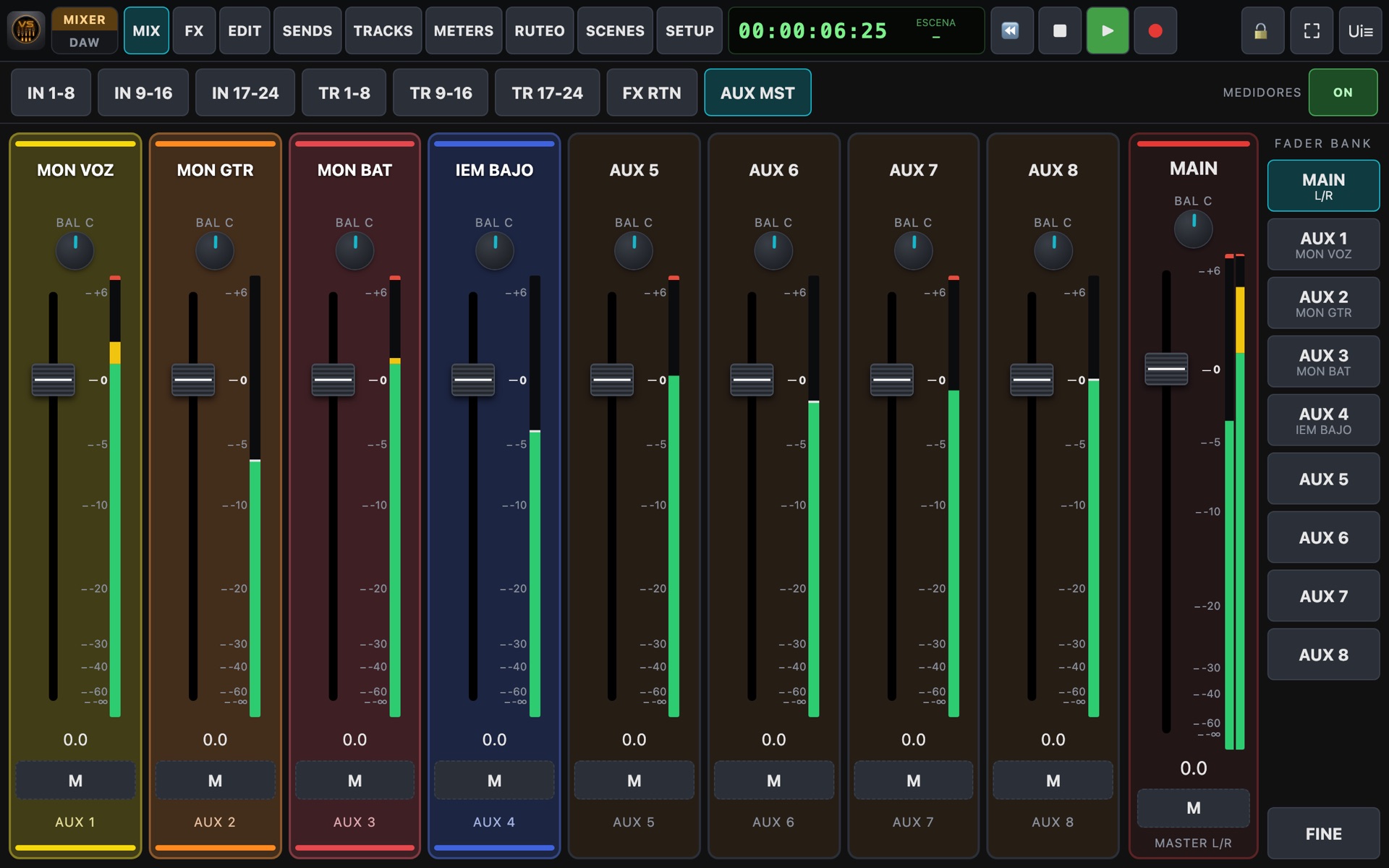
Aux masters
Sends on fader
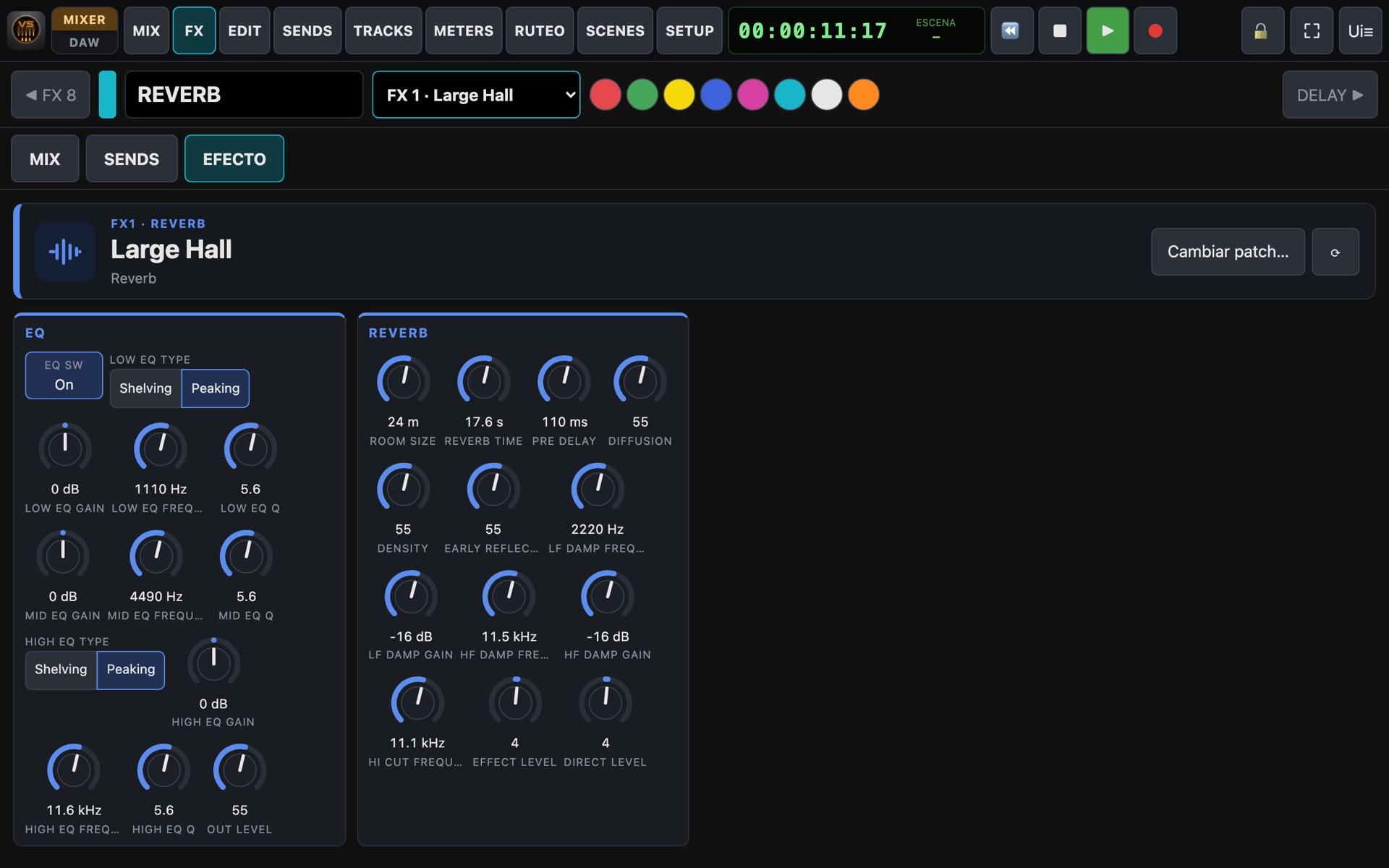
Effect editor
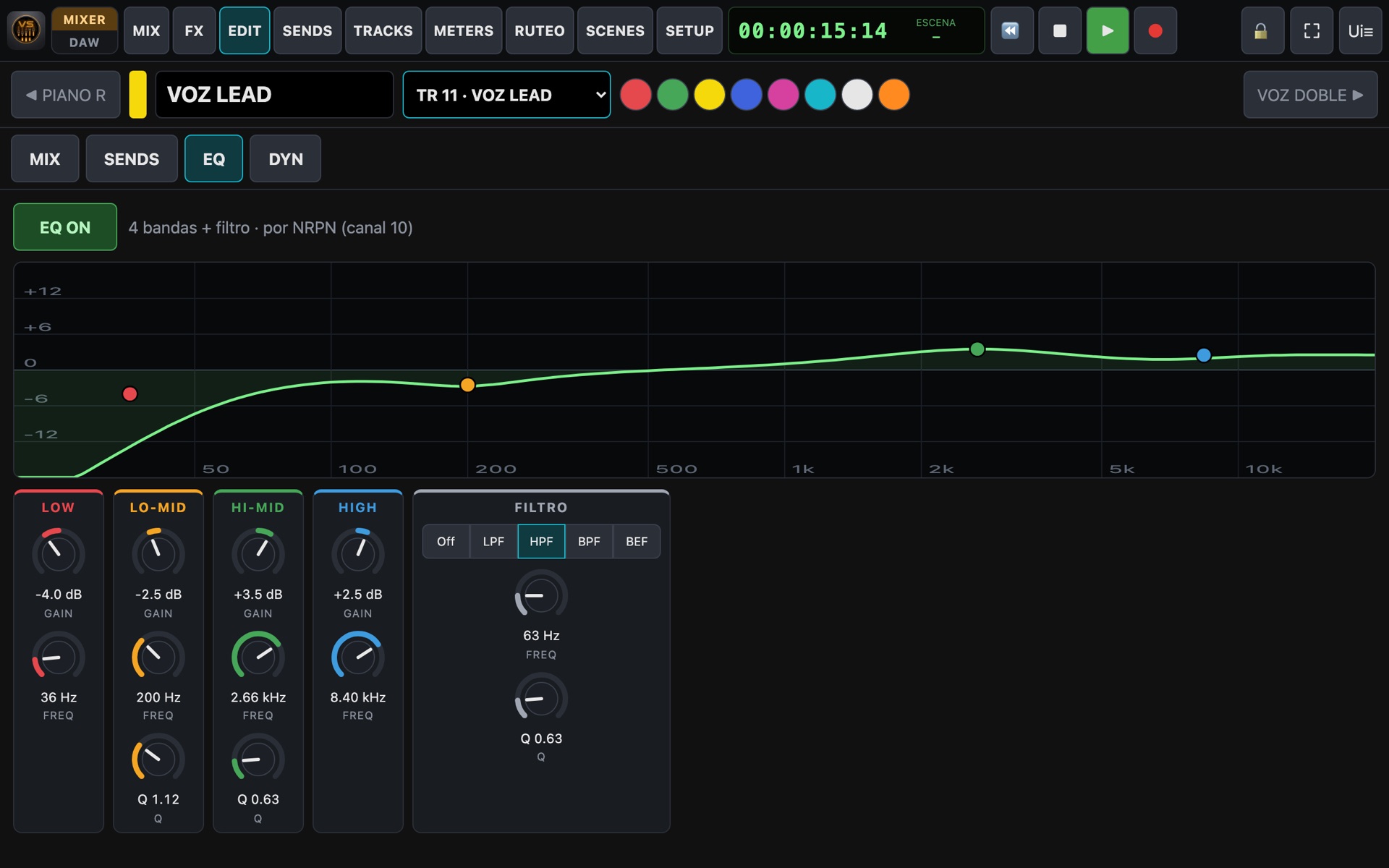
Equalizer
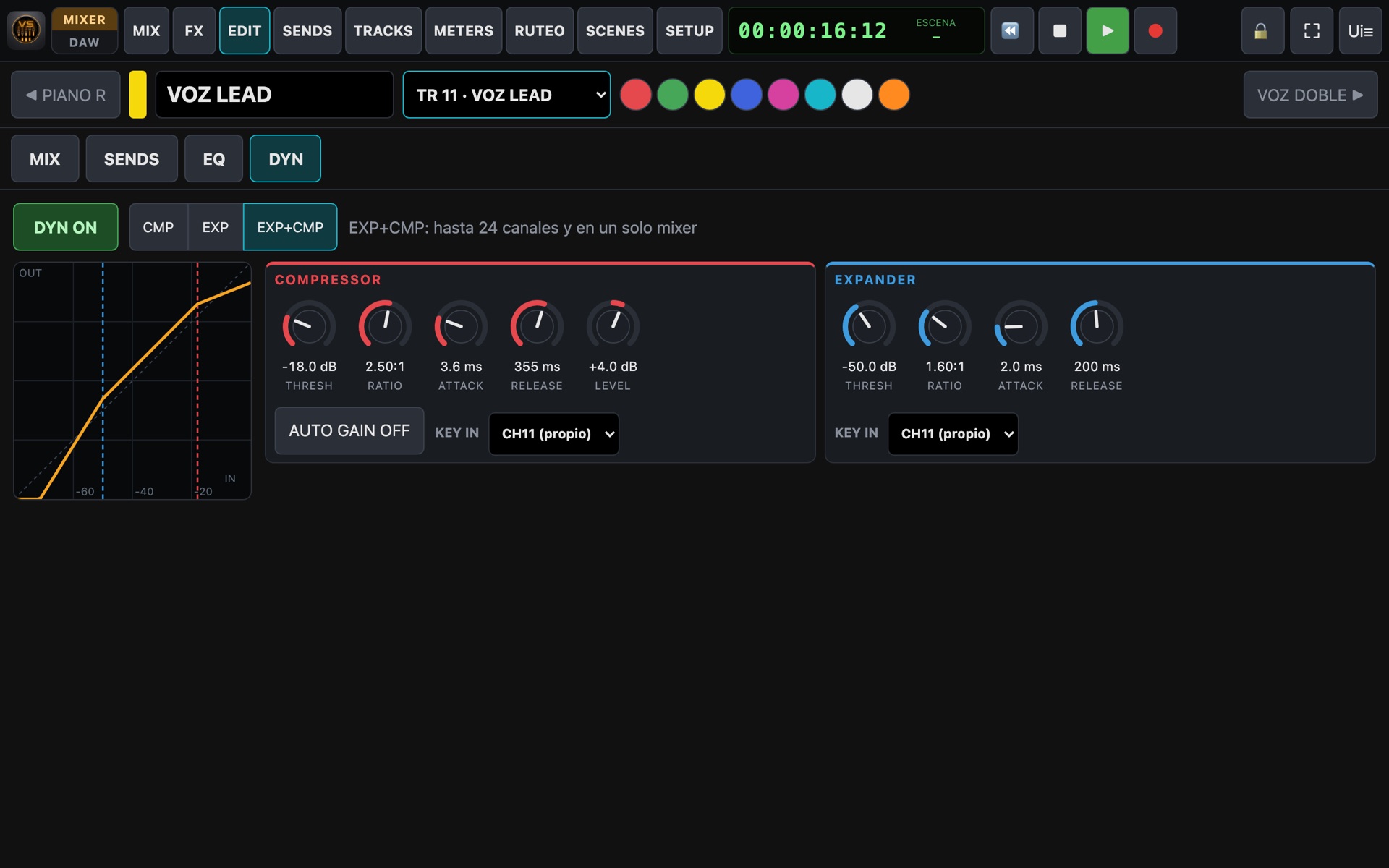
Dynamics
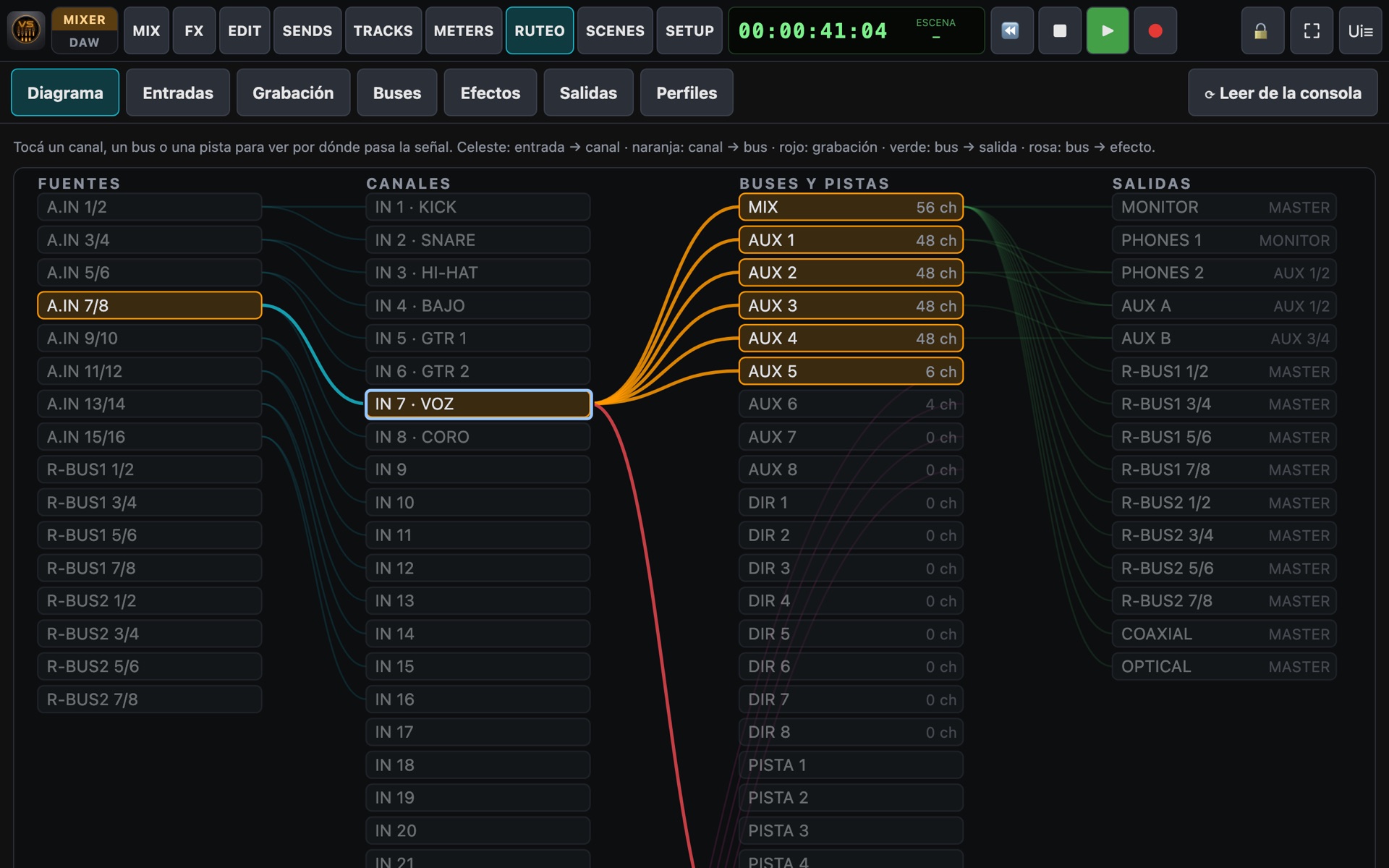
Routing diagram
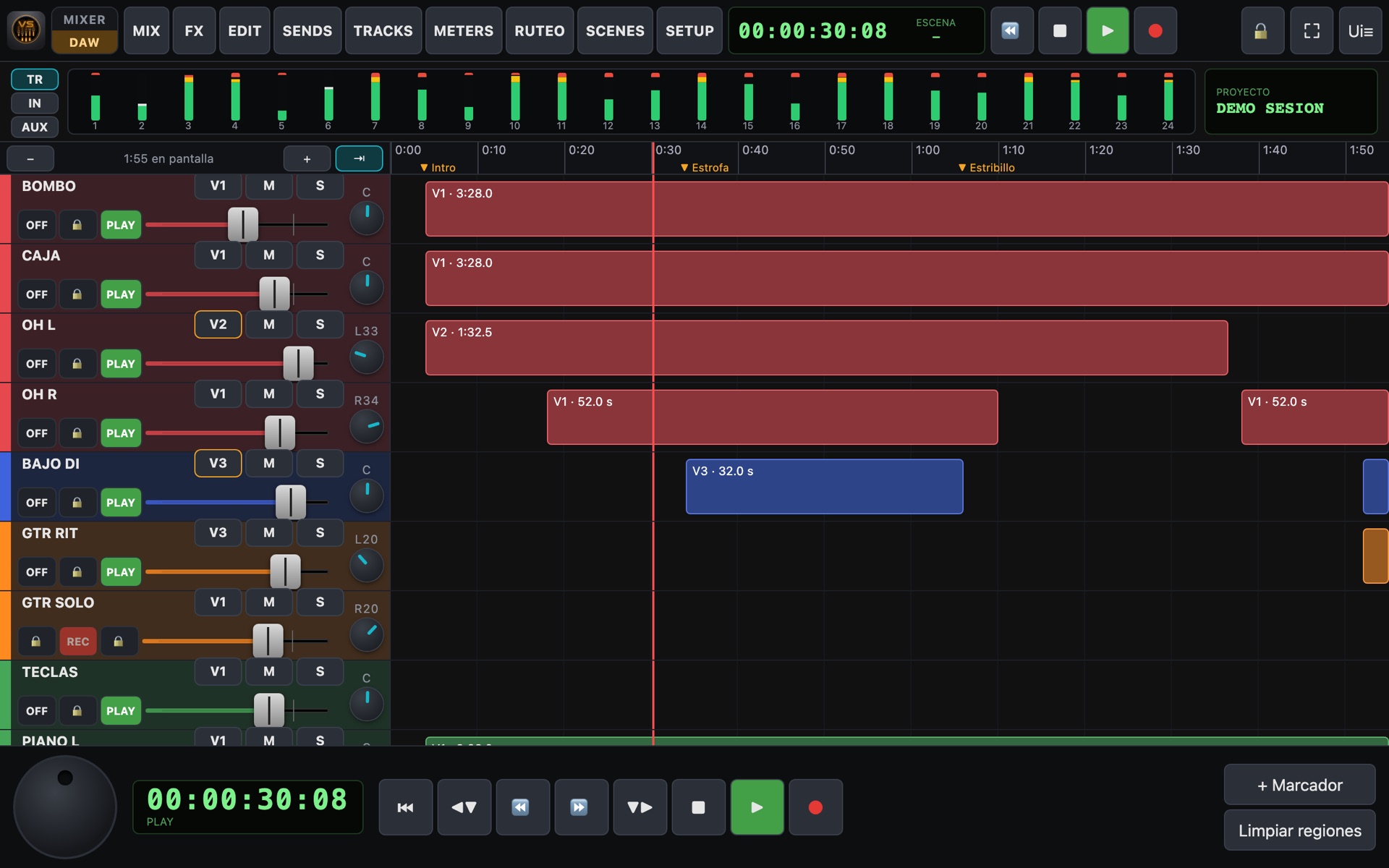
DAW mode
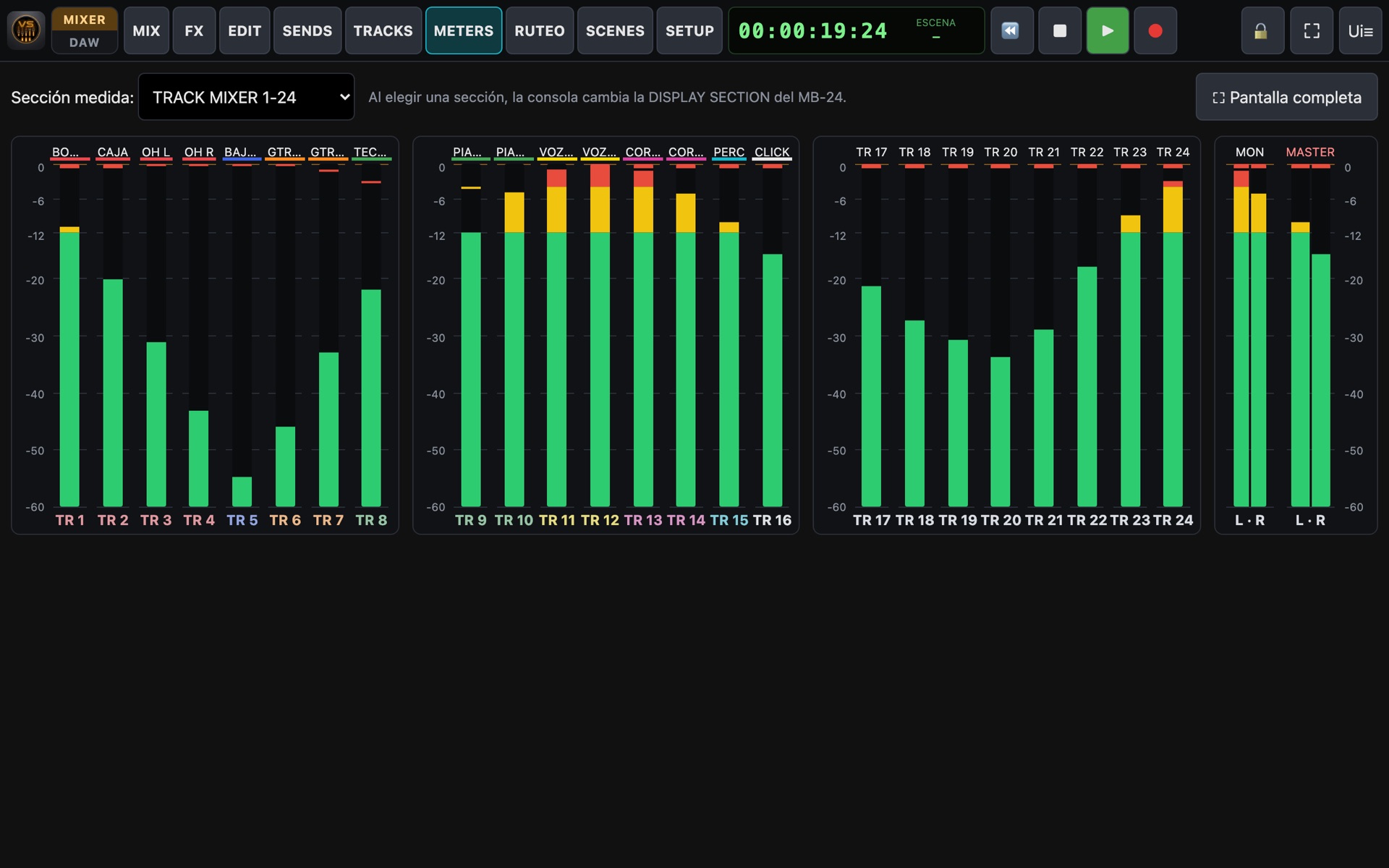
Meter bridge
Backup and restore

Input layer: channel names and colours, 48V phantom, pan, dB-scaled fader, meter and mute/solo. On the right, the FADER BANK.

Tracks with their OFF / REC / PLAY status, just like on the console, with real-time meters.

All 8 effect returns, each showing the loaded patch name.

The 8 aux masters, each named after its monitor.

Sends on Fader: tap an aux and the faders become the sends to that monitor (in orange).

Effect editor: algorithm, patch name and every parameter in real units (Hz, ms, dB).

4-band EQ plus filter, with a curve you drag with your finger.

Compressor and expander on every channel, with transfer graph and key-in.

Routing diagram: tap a channel to see which input feeds it, which buses it goes to and which track it records on.

DAW mode: tracks on the timeline, markers, jog wheel and meter bridge.

24-channel meter bridge plus monitor and master, perfect for a dedicated screen.

Backup & restore: choose what to export and import it on another device, previewing what the file contains.

DAW mode

Your recording, like a modern studio

One tap on MIXER / DAW switches from the mixer to a timeline view. Perfect for recording without walking to the machine.

  • Stacked tracks with name, colour, status, mute, solo, fader and pan.
  • Jog wheel to move through the recording; tap the ruler to jump.
  • Named markers and previous / next jumps, also from a page-turner pedal.
  • Takes (V-Tracks 1-16) per track: record another take and compare.
  • Regions of what you record, with their length.
  • List of projects on the console's disk, with dates.
Takes selector
Project list
New · Routing

See and change your console's routing

No more digging through routing pages on the console's display. VS_Remote draws the signal path and lets you change it with a finger.

  • Interactive diagram: inputs → channels → buses and tracks → outputs.
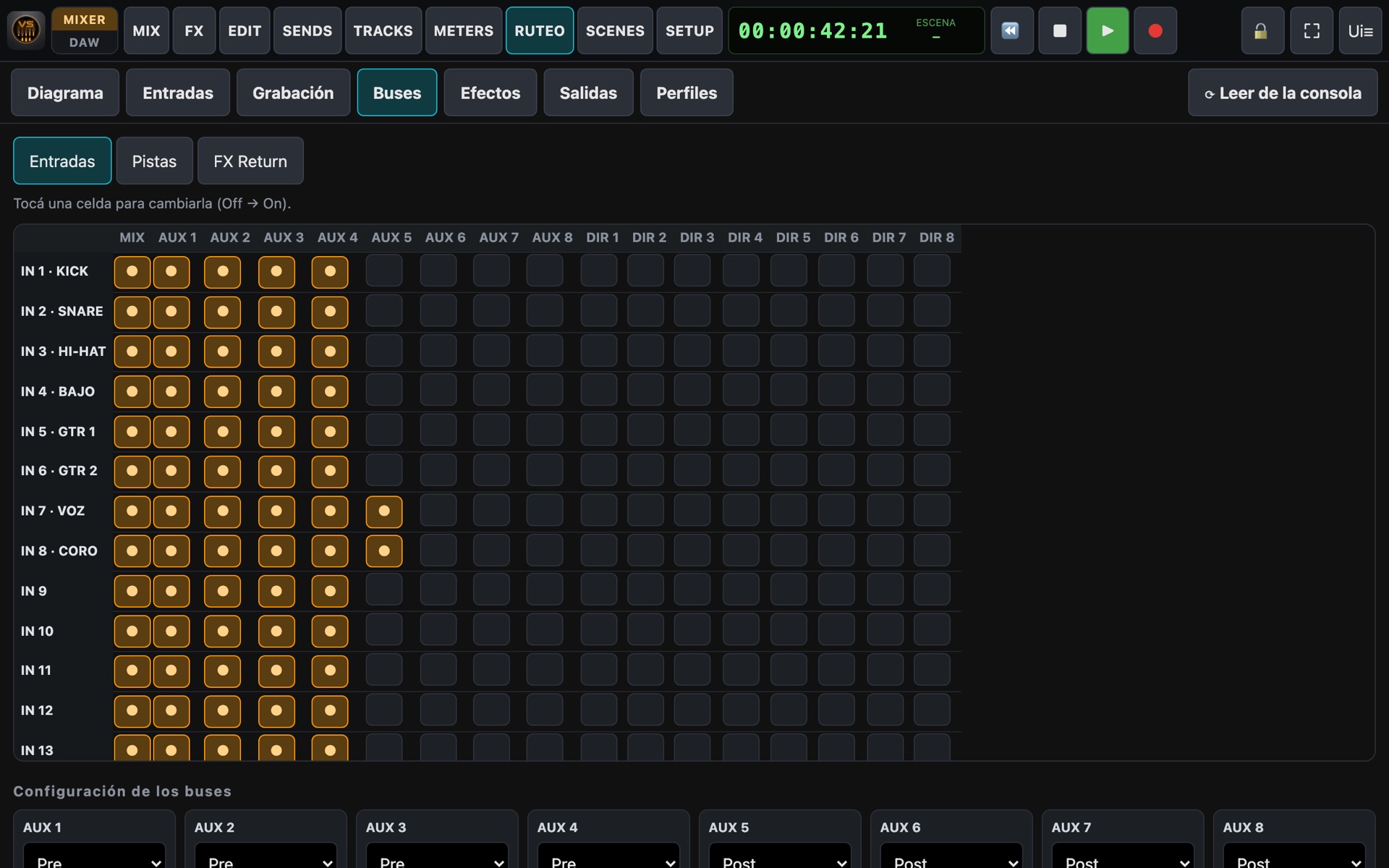
  • Input patchbay, track assignment for recording and bus matrix.
  • Effect inserts per channel, the source of each effect and the output patchbay.
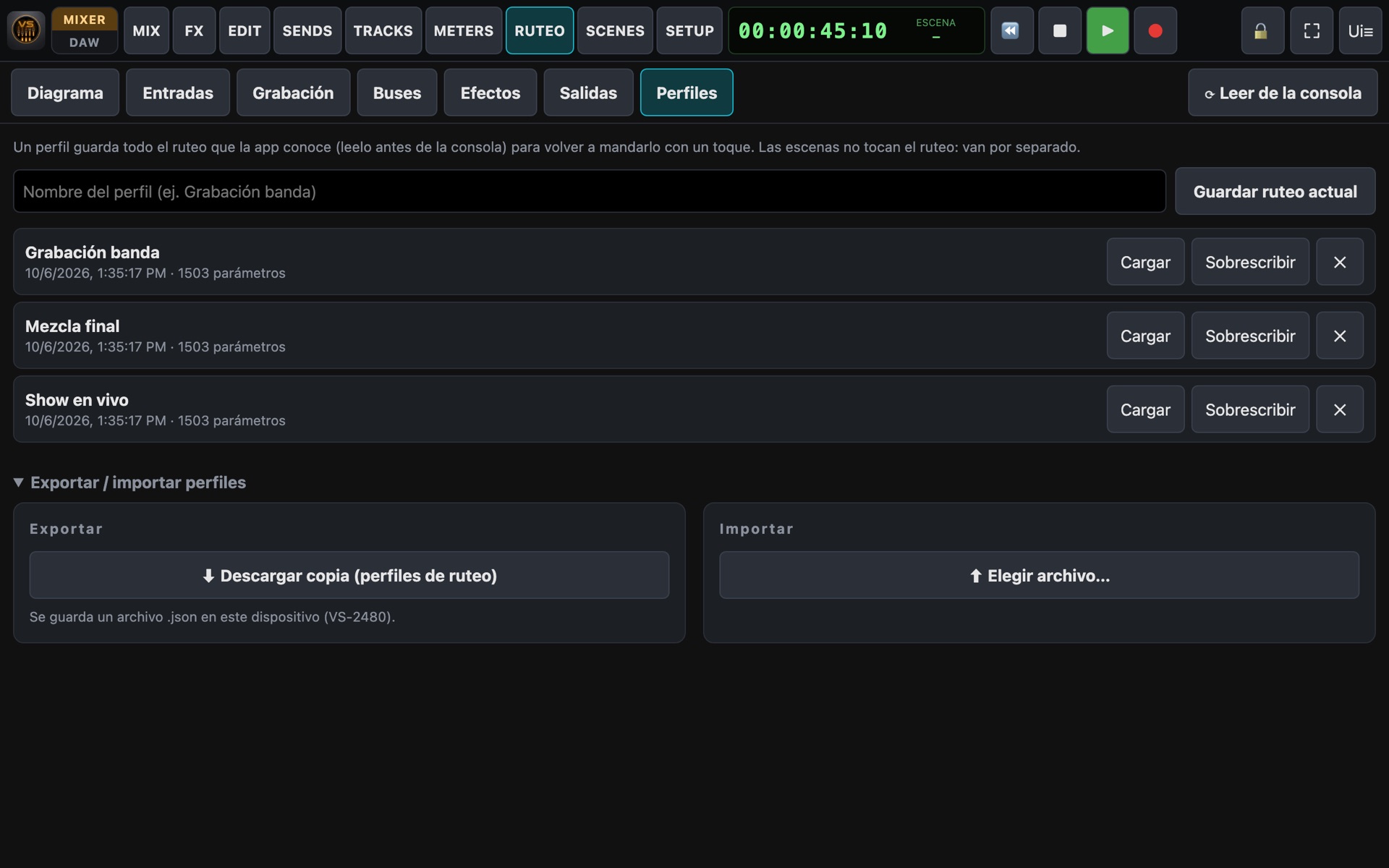
  • Routing profiles: save "Band recording" or "Live show" and recall them with one tap.
  • Export and import profiles to take them to another studio.
Bus matrix
Routing profiles
Personal monitoring

MOREME: every musician, their own mix

No more "a bit more of me in the monitor, please". Each musician opens VS_Remote on their phone, picks their aux and builds their headphone mix.

  • Two simple controls: ME (my channels) and REST (the band).
  • Fine-tune channel by channel, in order and with names.
  • Mute ME or REST with one tap.
  • Named mixes saved for every show or rehearsal.
  • Each phone can only change its own aux.
MOREME on a phone
Aux sends on the tablet

Meanwhile, the engineer sees and adjusts the same sends from their tablet.

Compatibility

One app for the whole VS family

VS_Remote detects which console is connected and adapts its screens: number of channels, tracks, sends and what each model lets you control.

VS-2480

  • 24 inputs and 24 tracks
  • 2 effects built in, up to 8 (4 boards)
  • 8 AUX and 8 DIR buses
  • EQ, dynamics, phantom and dB scale
  • 100 console scenes · full routing

VS-1880

  • 18 tracks, 10 inputs
  • Up to 4 effects (1 or 2 boards)
  • 5 sends: 2 FX + 3 AUX, or 4 FX + 1 AUX with 2 boards
  • 3-band EQ · 8 console scenes

VS-1824

  • 18 tracks, 10 inputs
  • 2 effects built in, up to 4 (2 boards)
  • 5 sends: 2 FX + 3 AUX, or 4 FX + 1 AUX with 2 boards
  • 3-band EQ · 8 console scenes

VS-1680

  • 16 tracks, 10 inputs
  • Up to 4 effects (1 or 2 boards)
  • 5 sends: 2 FX + 3 AUX, or 4 FX + 1 AUX with 2 boards
  • 3-band EQ · 8 console scenes

Automatic detection of installed effect boards. Full comparison on the Features page.

How it works

Ready in four steps

An Android phone bridges the console and the WiFi network. Tablets open the console in their browser, nothing to install.

Connect the VS

A standard USB-MIDI adapter links the VS (MIDI IN / OUT) to the bridge phone.

Start the bridge

Open VS_Remote on the phone and tap Start. It shows the address and a QR code.

Open the tablets

Scan the QR from any tablet or laptop on the same WiFi. iPad, Android, Windows or Mac.

Start mixing!

The app detects the console, reads its state and is ready. Musicians join from their phones.

VS consoleMIDI ⇄ Bridge phoneWiFi ⇄ Tablets · laptops · phones
Contact

Get VS_Remote

Write to us telling us which console you have and how you use it. We'll get back to you with availability, pricing and how to get started.

info@vs-remote.com.ar
Coming soon onGoogle Play Store