Features

A modern control surface for your VS

Everything VS_Remote does, screen by screen. The images are real screenshots of the app (tap any of them to enlarge).

Mixer

The whole mix, in layers of 8 channels

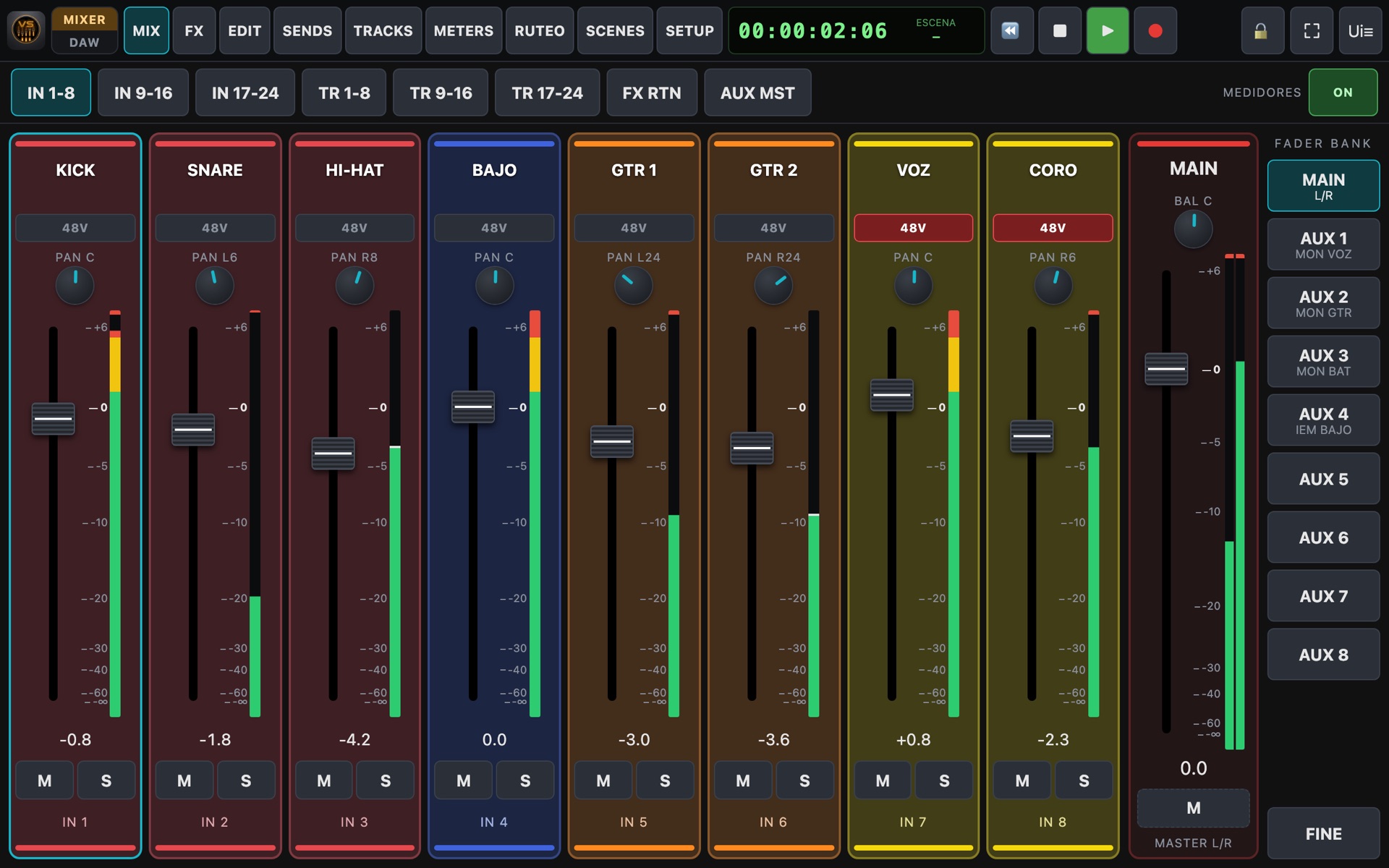
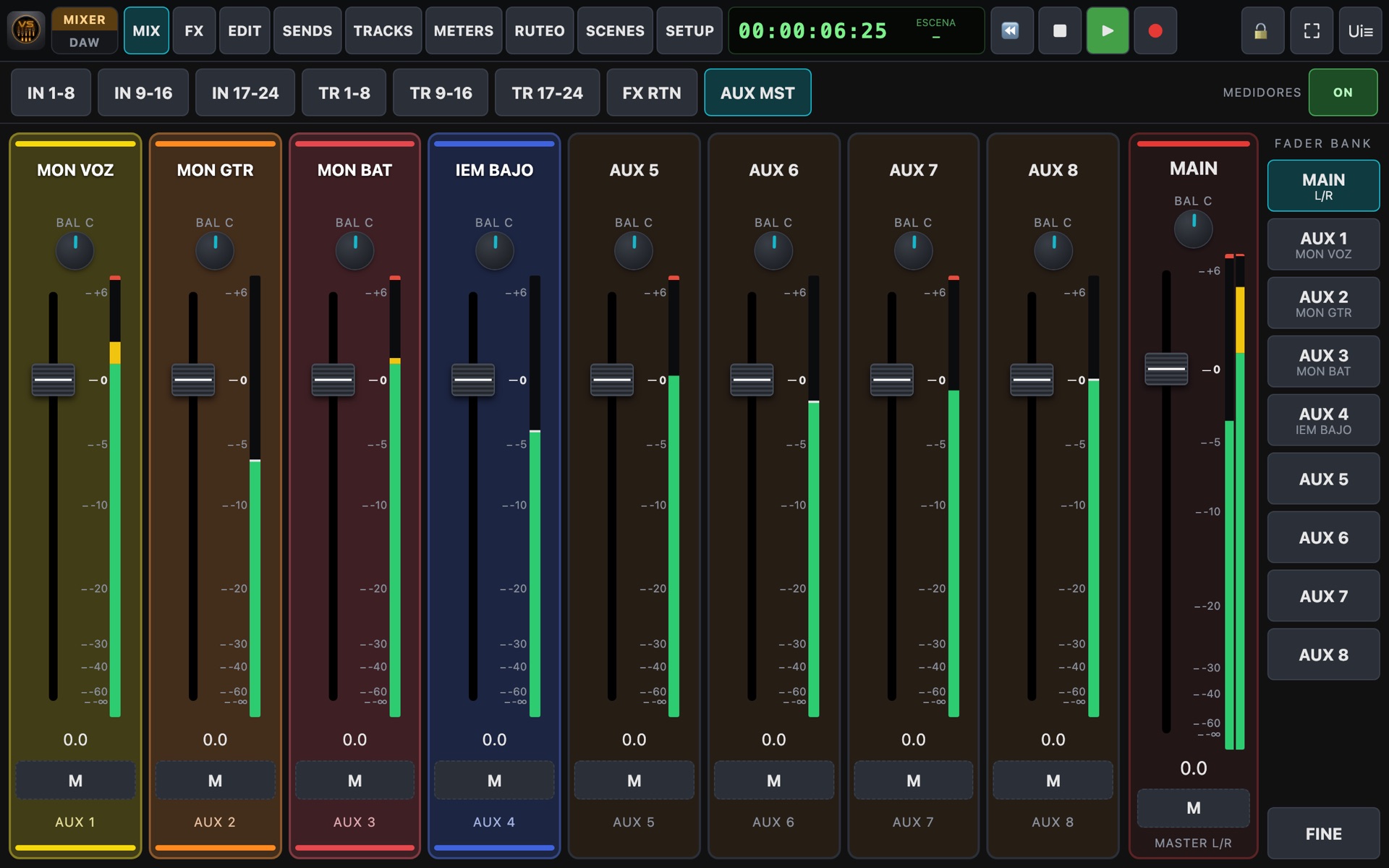
Inputs, tracks, effect returns and aux masters, in layers like a digital mixer. What moves on the console shows on the tablet, and what you move on the tablet drives the motorized faders.

  • dB-scaled fader matching the console, pan or balance, mute and solo.
  • Channel names and colours that tint the strip so you find everything fast.
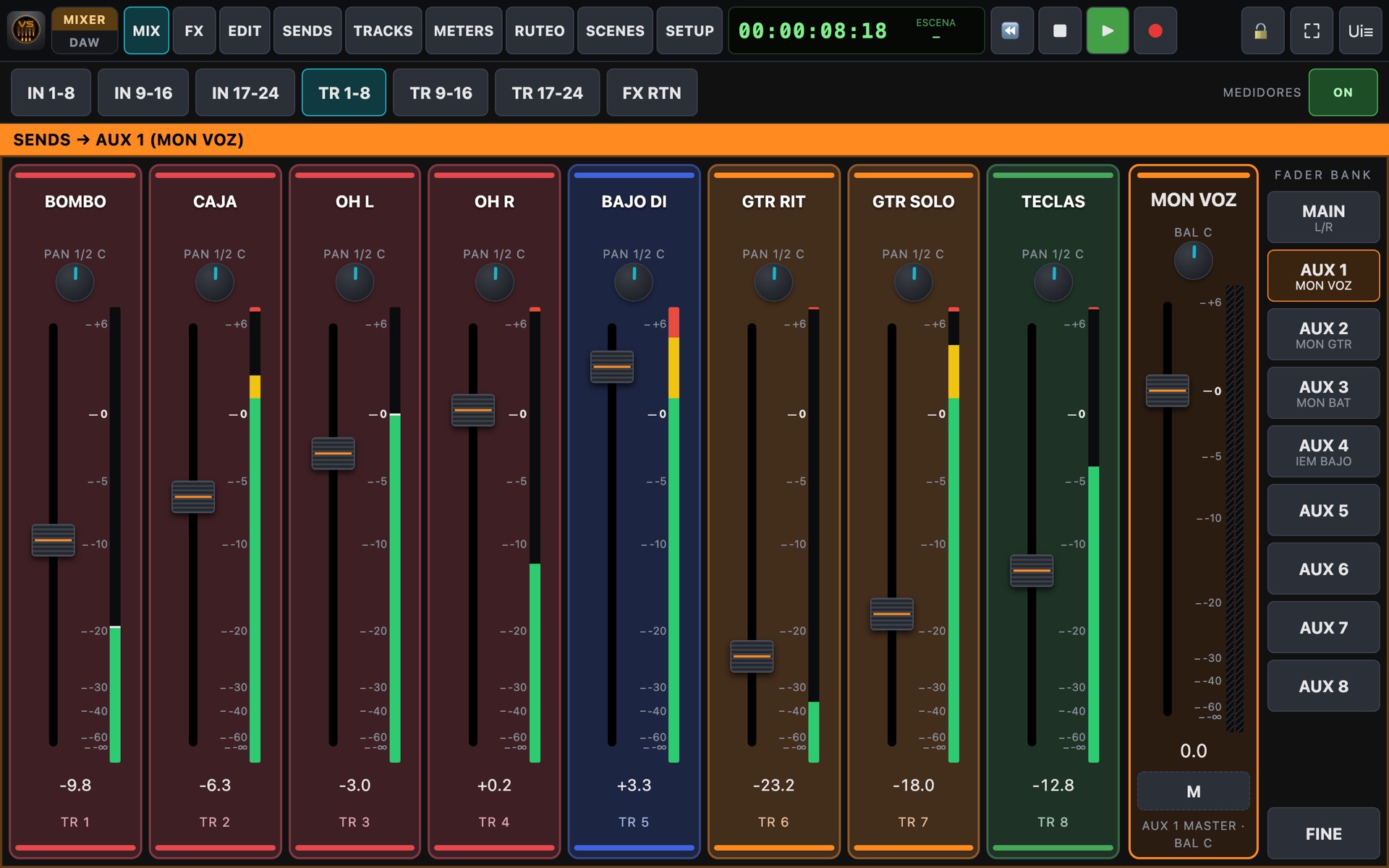
  • Sends on Fader: faders become the sends to an aux.
  • DCAs, mute groups, stereo link and custom views.
  • FINE mode for precise adjustments.
Input layer
Aux masters
Sends on fader
Channel editing

Every channel in detail

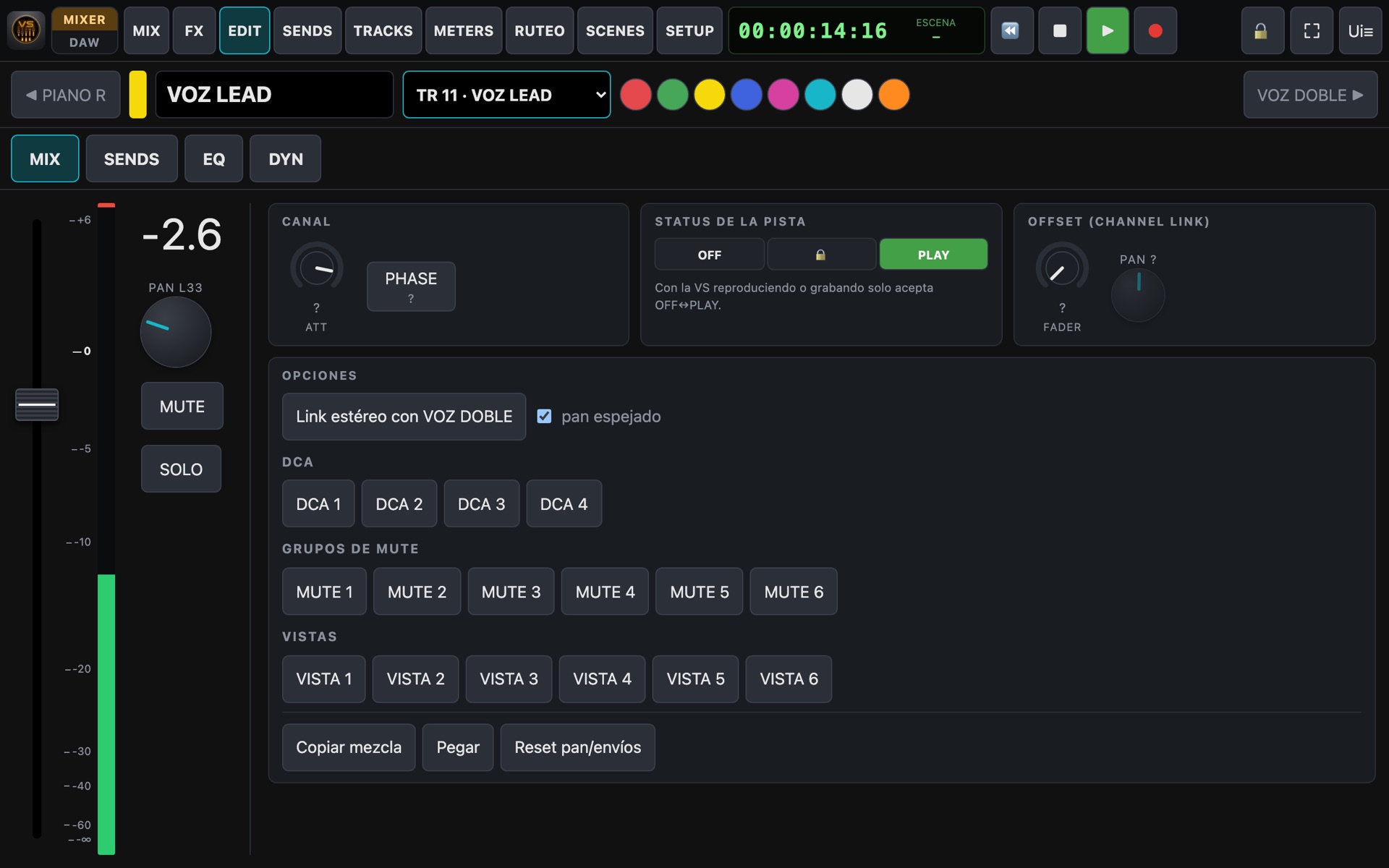
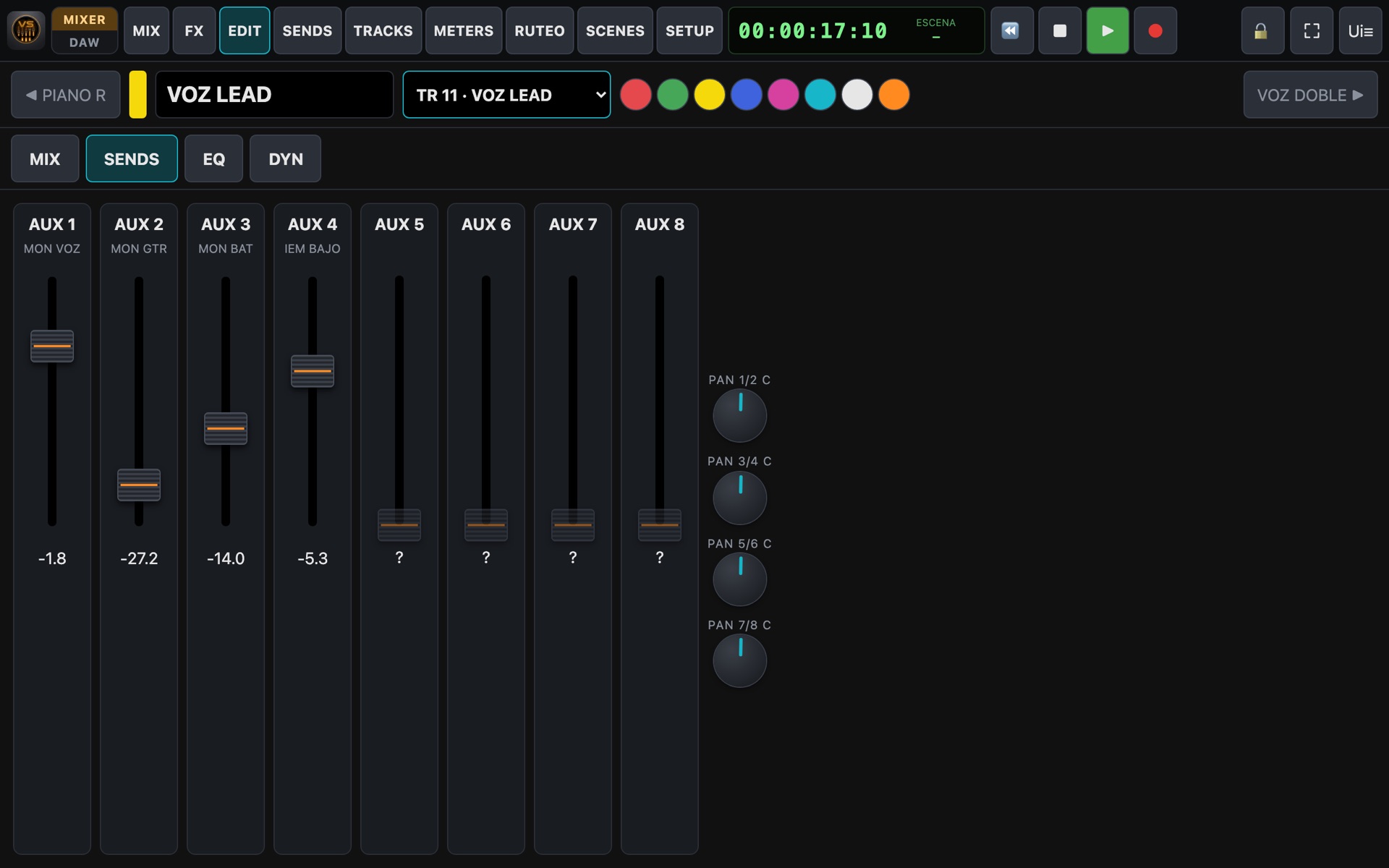
Double-tap a strip to open the channel editor. A drop-down takes you straight to any other channel without stepping through them.

  • Fader, pan, mute, solo, attenuator, phase and 48V phantom.
  • Track status, offset and channel options.
  • All aux sends, with their pan.
  • Channel name and colour, editable right there.
Channel editor
Channel sends
Effects

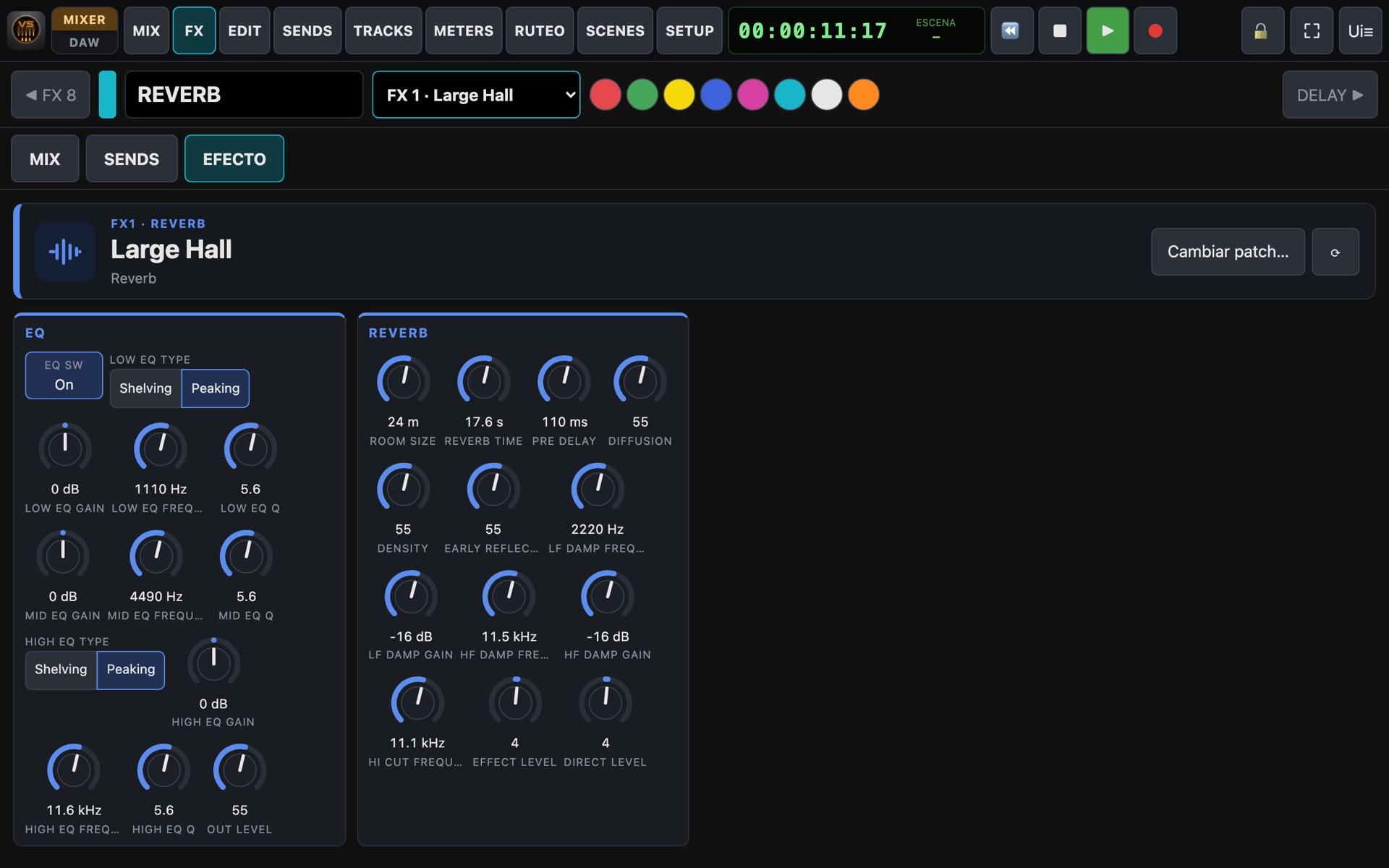
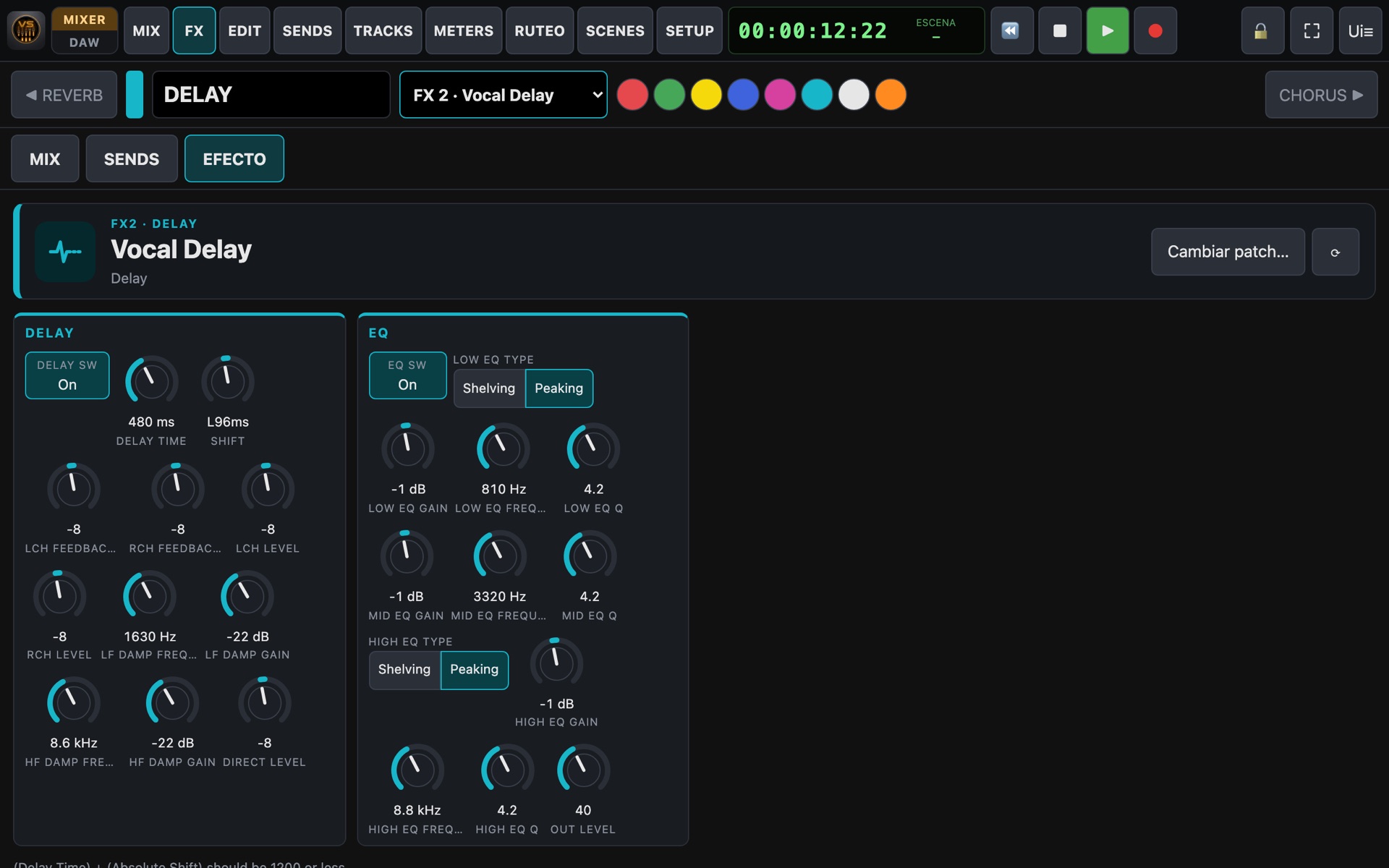
Every processor, with all its parameters in view

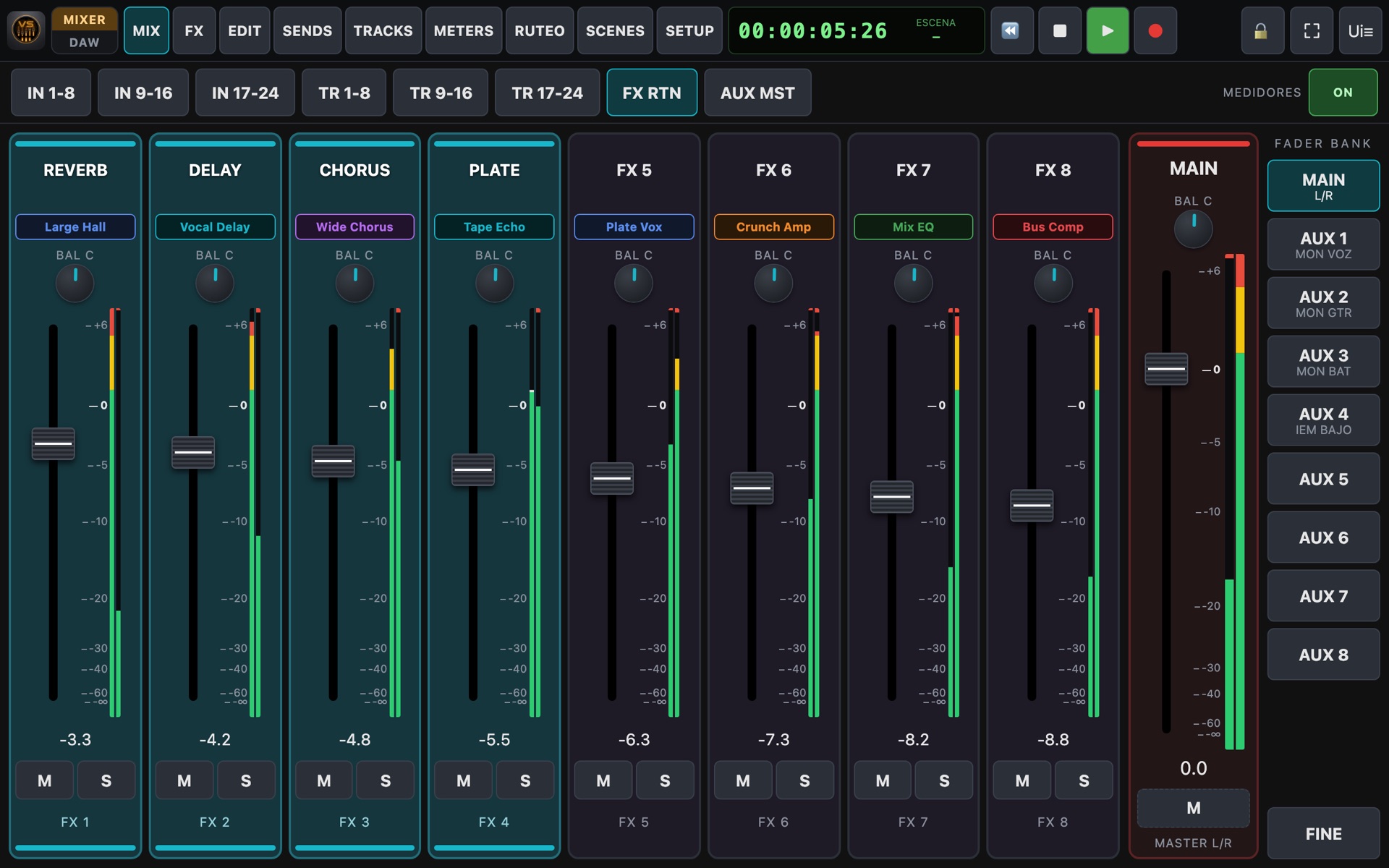
A direct FX button in the top bar. See which effect each processor has loaded and adjust it with knobs that show real values.

  • 36 algorithms: reverbs, delays, chorus, amp models, EQs, compressors, Mastering Tool Kit…
  • Patch selection by name, with search.
  • Values in real units: Hz, kHz, ms, dB.
  • Scenes save and recall the effects.
  • Detects which effect boards your console has installed: up to 8 processors on the VS-2480 and up to 4 on the VS-1680, VS-1824 and VS-1880.
Reverb editor
Delay editor
Effect returns
EQ & dynamics

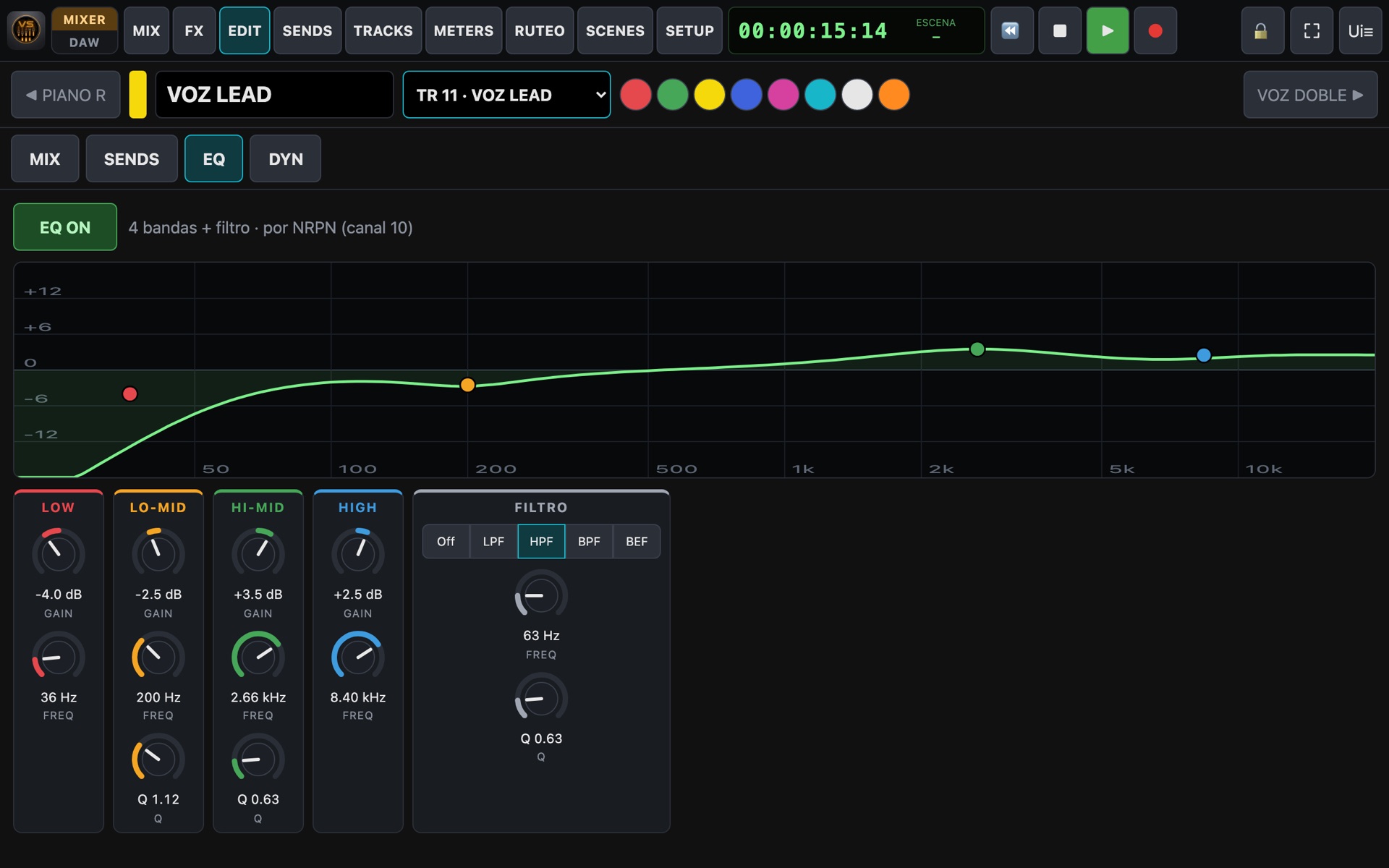
EQ with your finger

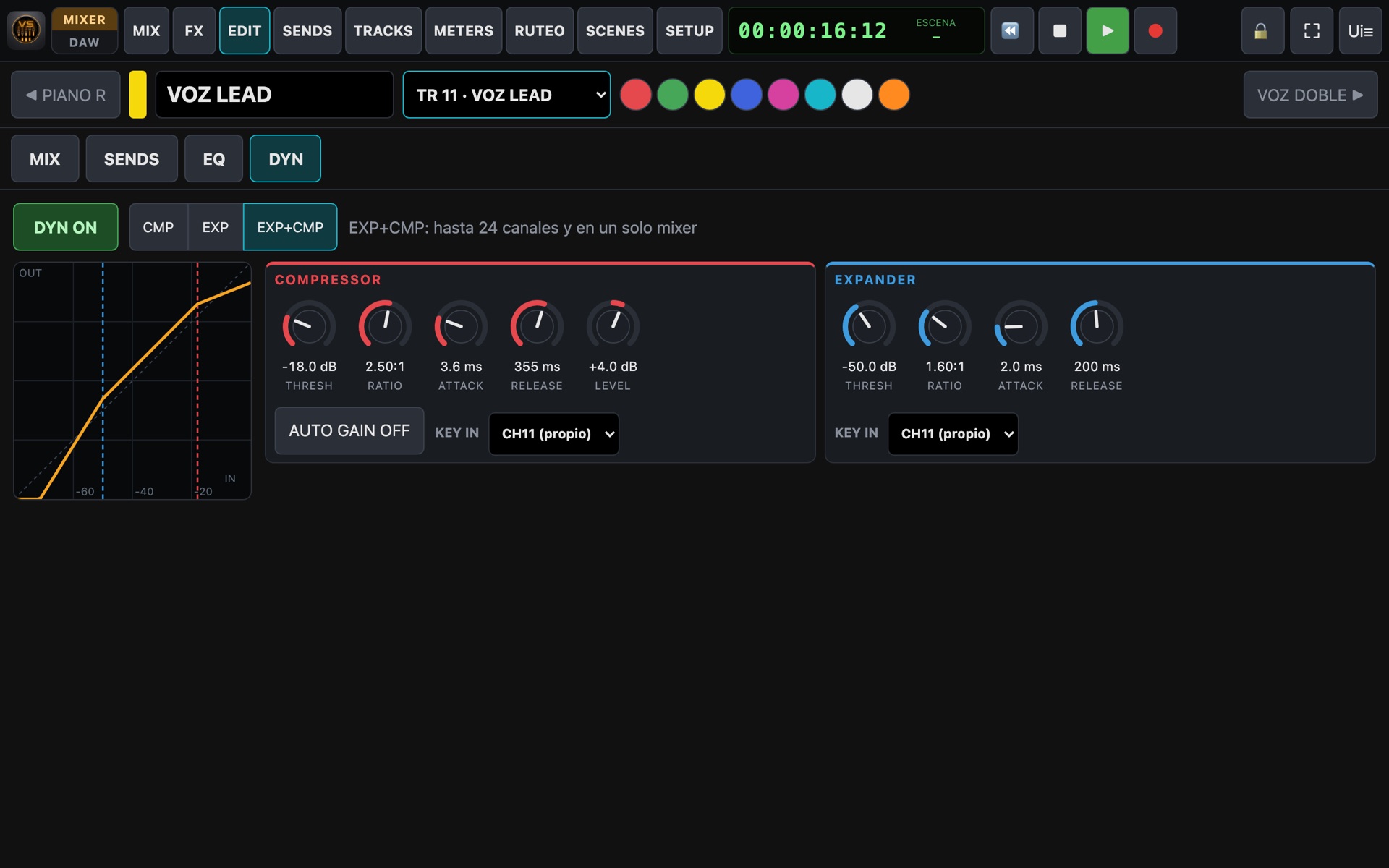
The EQ curve is drawn in real time: drag each point to change frequency and gain. Dynamics show their transfer graph as you adjust.

  • 4-band EQ with Q, plus LPF / HPF / BPF / BEF filter.
  • Compressor and expander per channel: threshold, ratio, attack, release, level and auto gain.
  • Key-in to trigger from another channel.
Equalizer
Dynamics
New · Routing

Your console's routing, at a glance

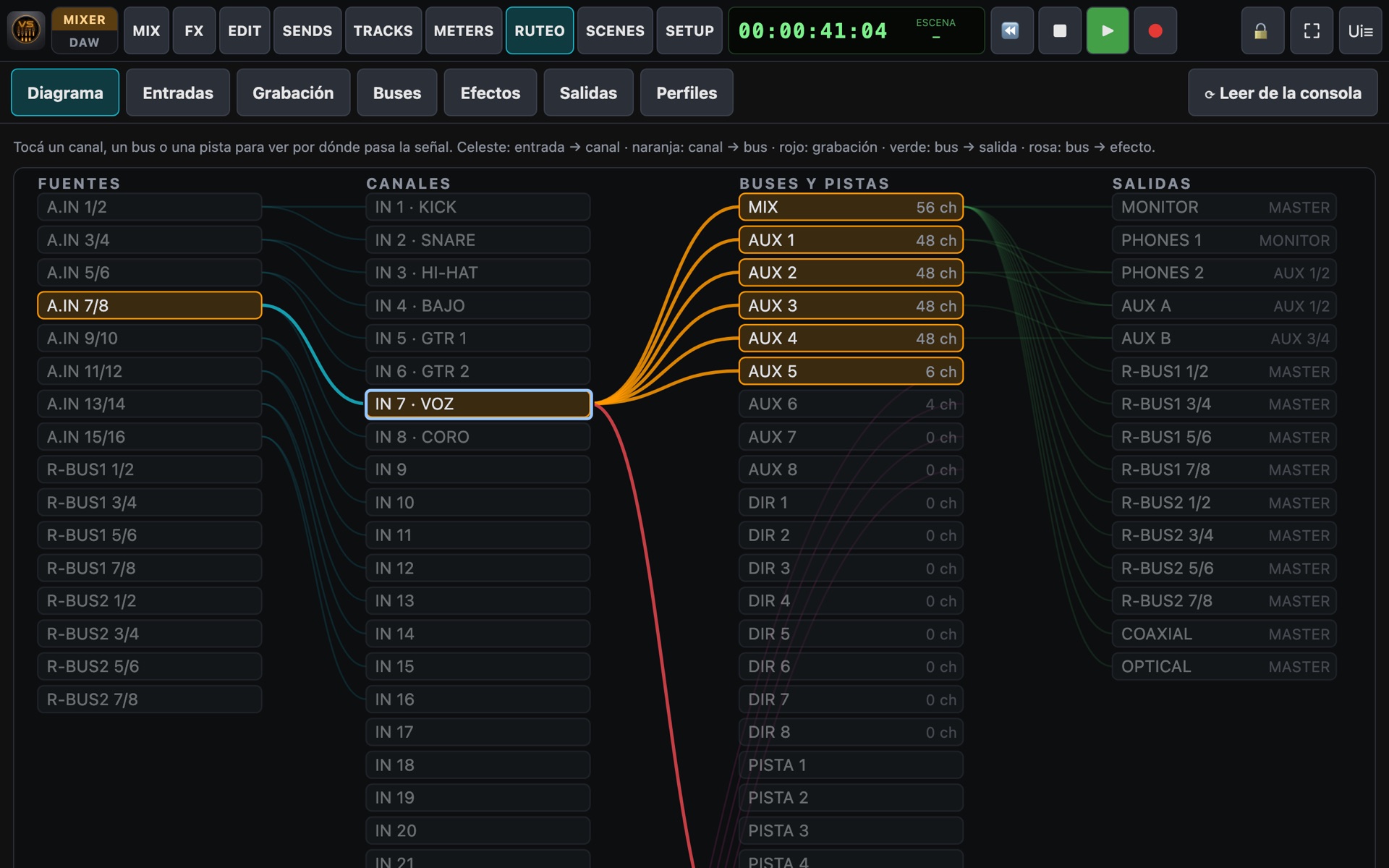
The ROUTING module draws the signal path and lets you change it without browsing the console's menus. Save complete setups as profiles and recall them with one tap.

Routing diagram

Interactive diagram

Sources → channels → buses and tracks → outputs. Tap a channel or a bus to highlight its connections.

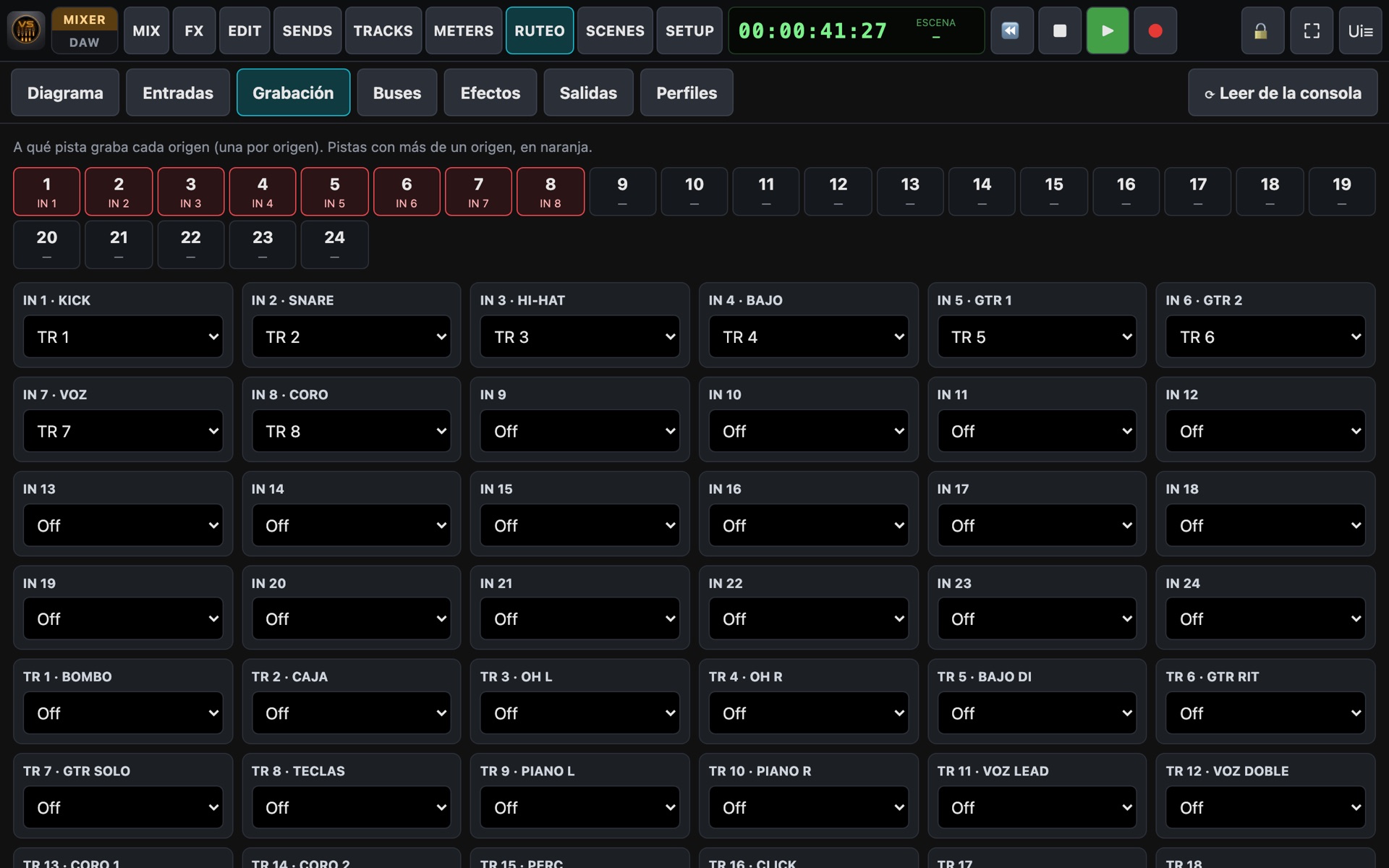
Recording

Which input records on which track, with a warning when two sources hit the same track.

Bus matrix

MIX, AUX and DIR per channel on a grid (Off / Pre / Post on models that have it).

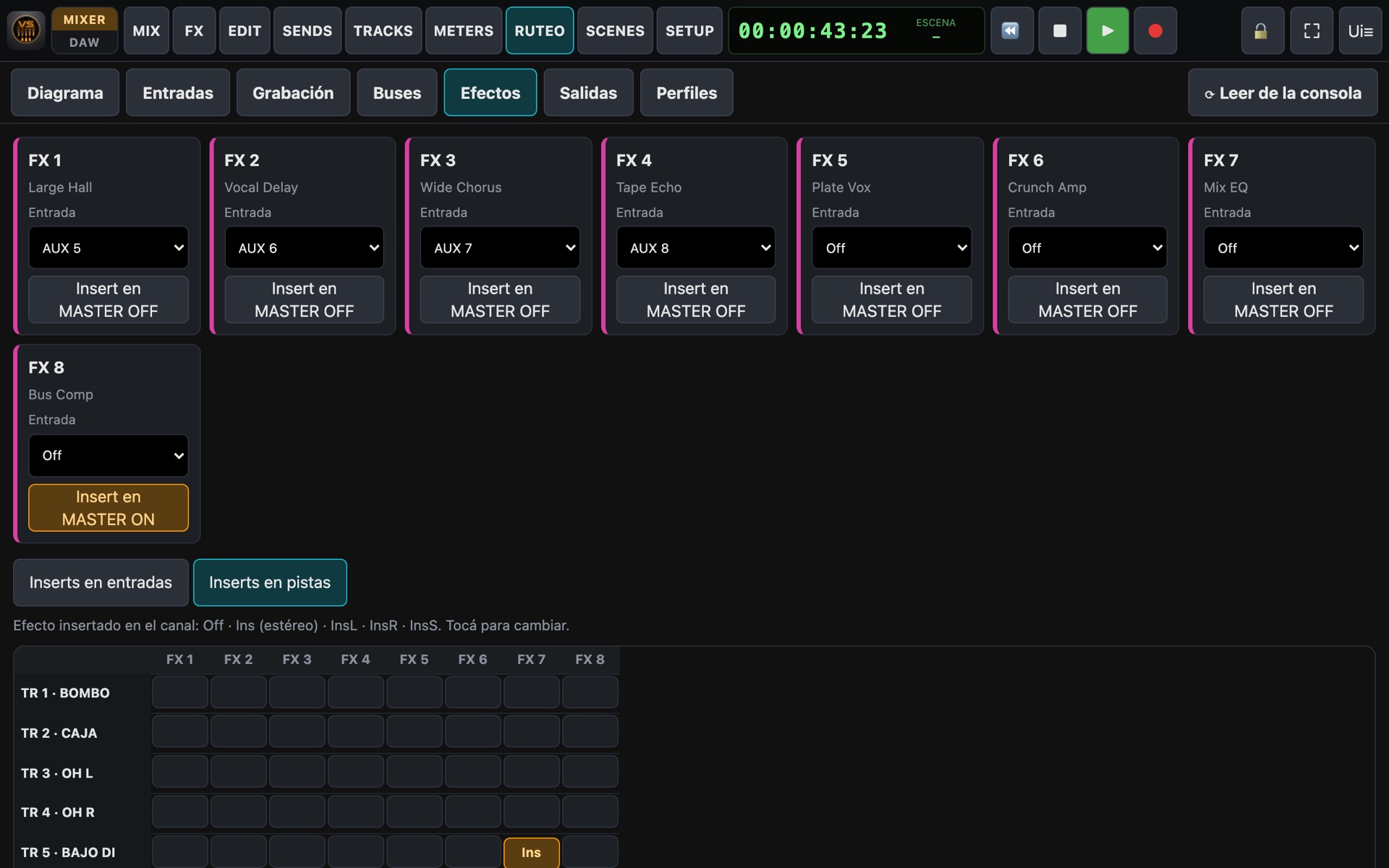
Effects

Which bus feeds each effect, per-channel inserts (Ins, InsL, InsR, InsS) and master insert.

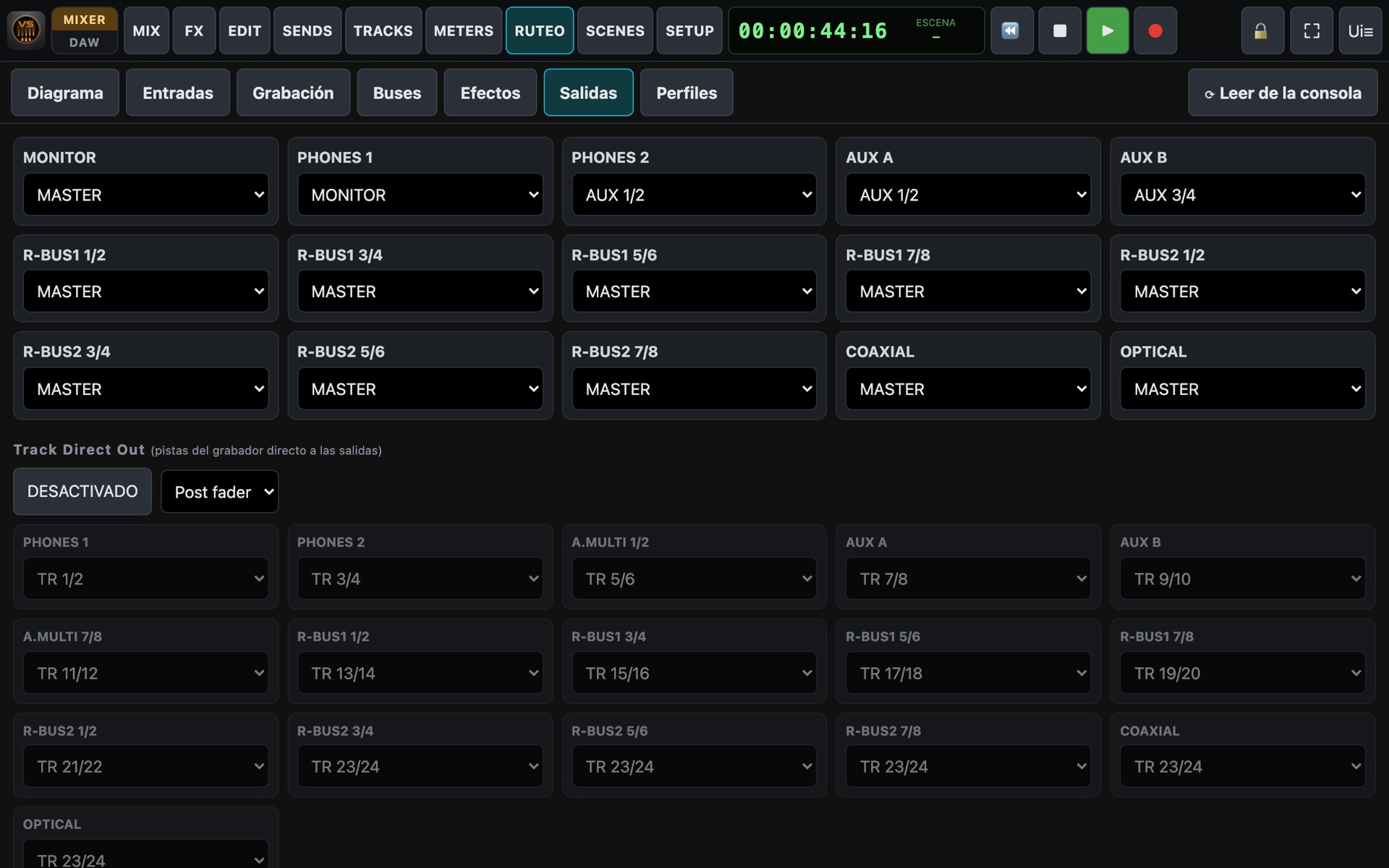
Outputs

Output patchbay: monitor, headphones, AUX A/B, digital outs and track direct outs.

Profiles

Save, load, overwrite and delete routing profiles. Export them to take to another studio.

Recording assignment
Effect routing
Output patchbay
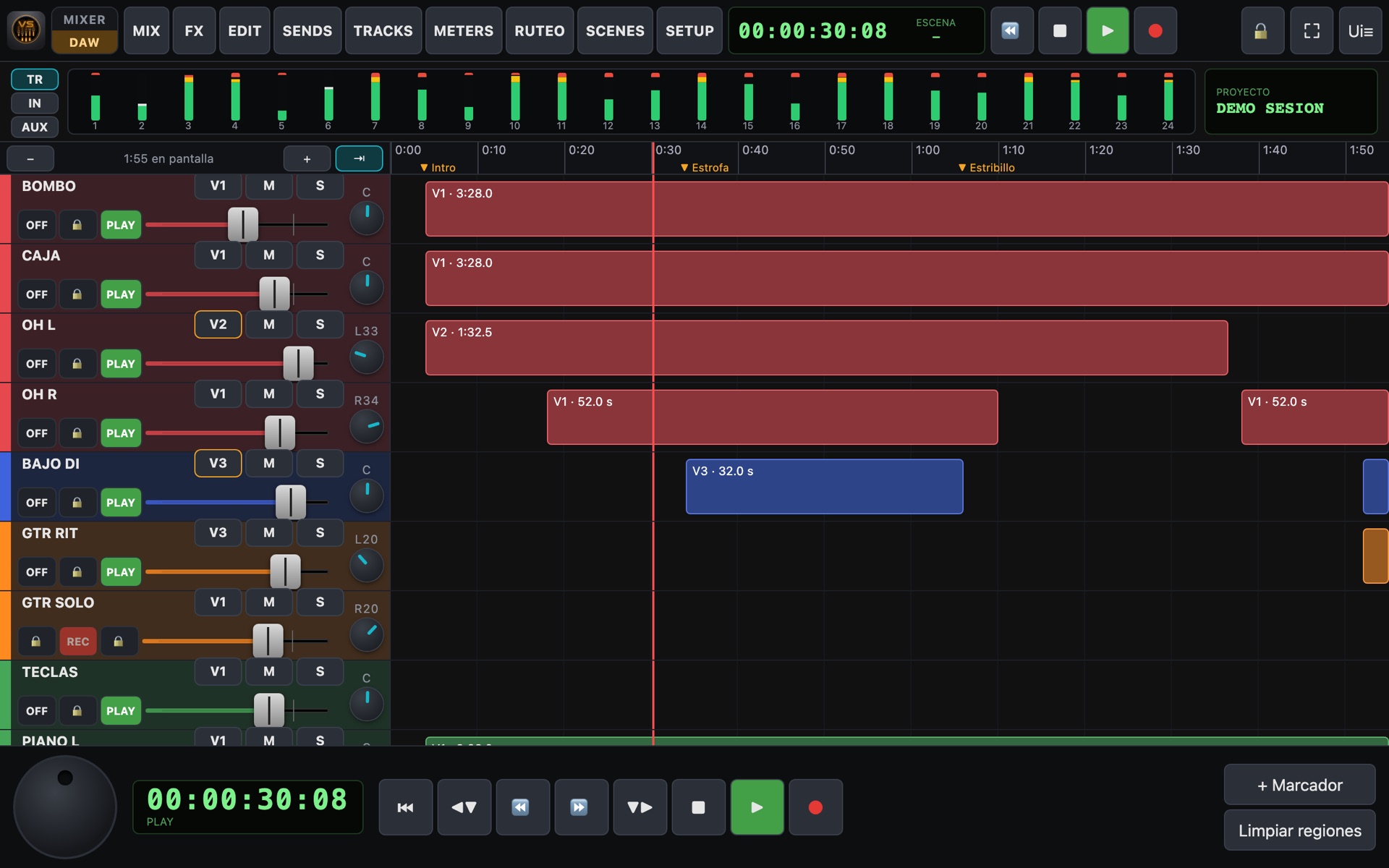
DAW mode

Record like in a modern studio

One tap on MIXER / DAW and your VS looks like a workstation: tracks on a timeline, with everything at hand to record without walking to the machine.

DAW mode

Timeline

Ruler in minutes and seconds, a playhead that follows the console, zoom and finger scrolling.

Jog wheel

Spin it to move through the recording, like the console's own wheel.

Markers & pedal

Drop markers and jump between them, also from the keyboard or a page-turner pedal.

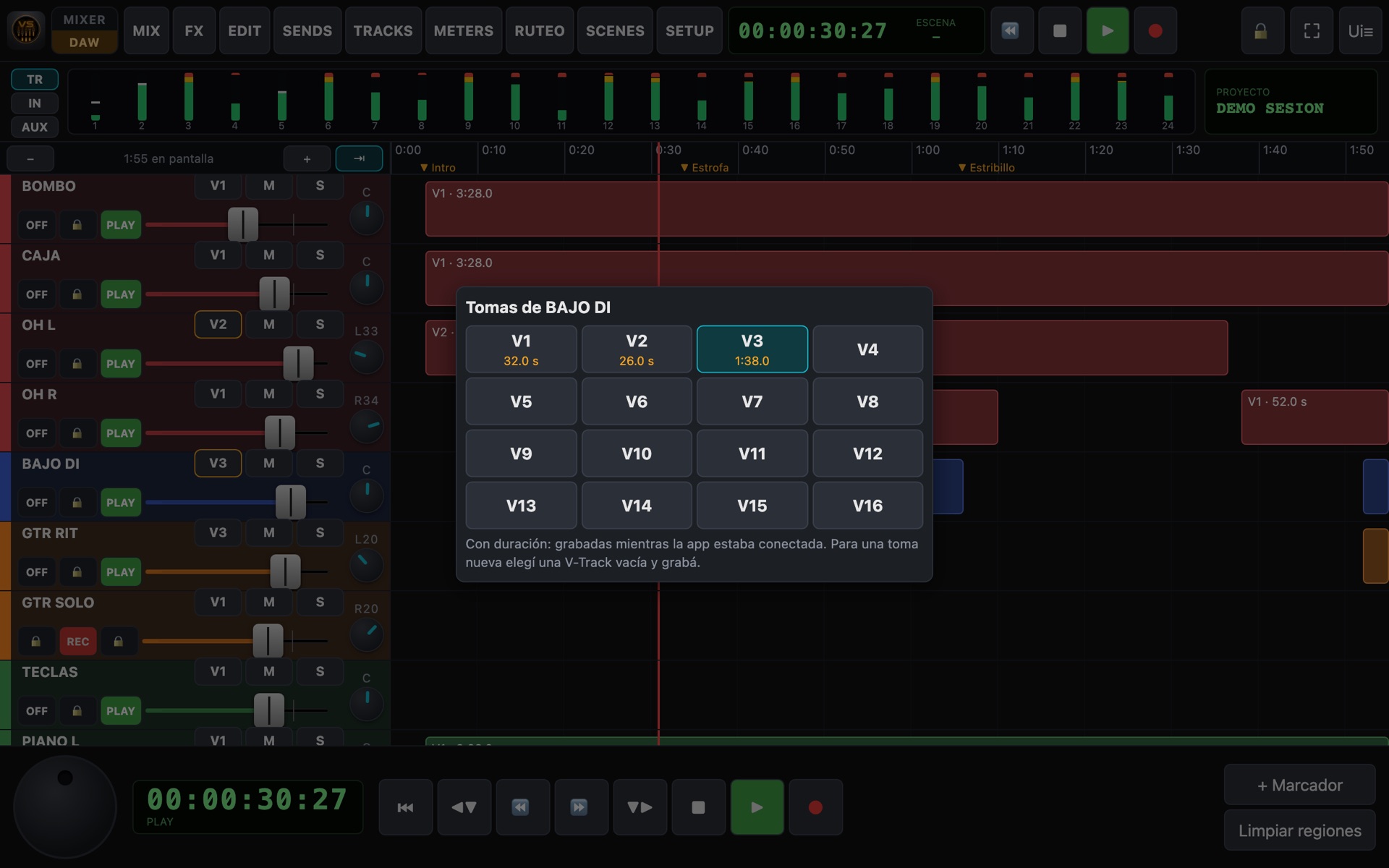
Takes (V-Tracks)

16 takes per track. Record another version on an empty take and switch between them to compare.

Recorded regions

Every recording made with the app connected shows up as a region with its length.

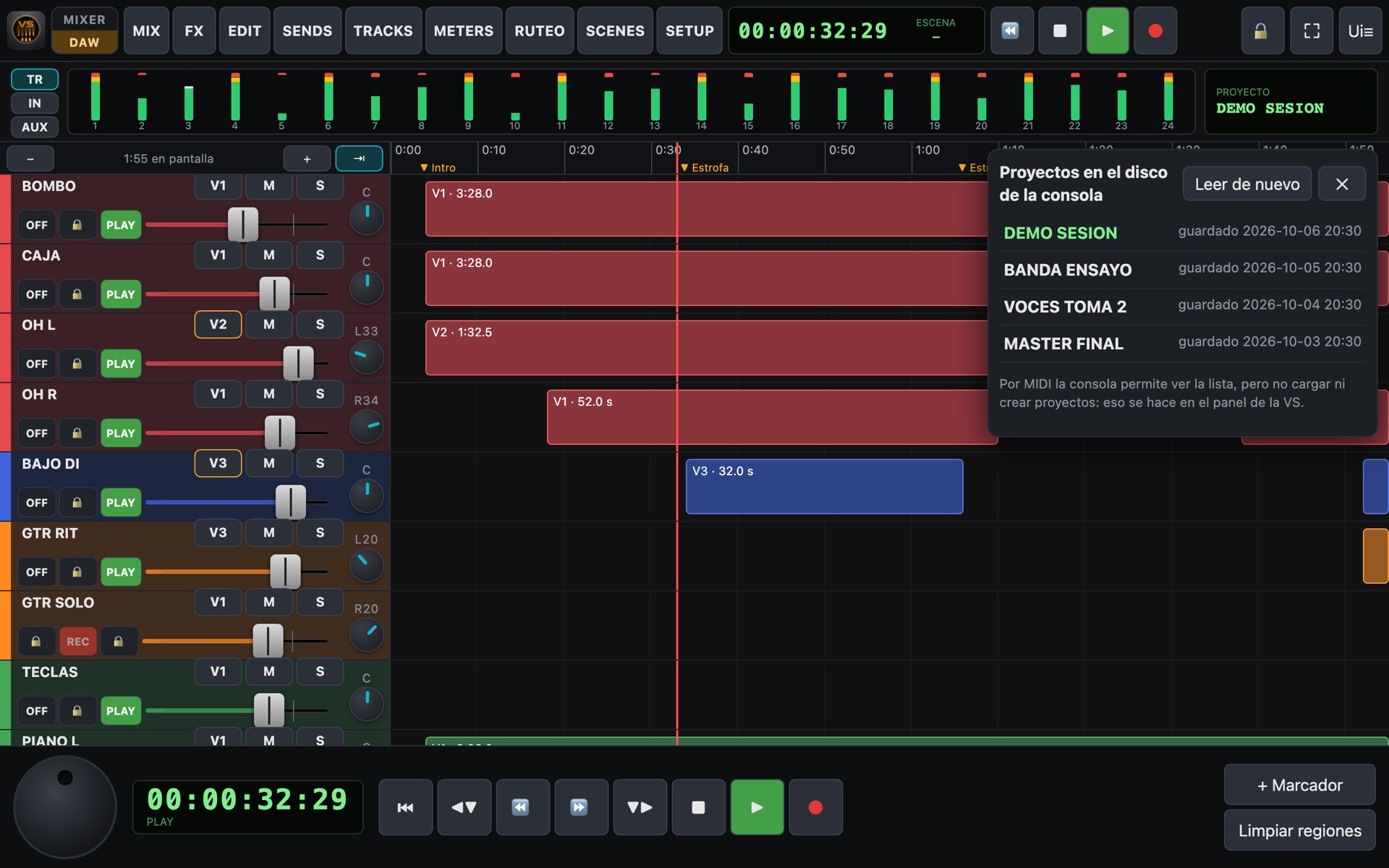
Projects

The list of projects on the console's disk, with dates, and the name of the loaded one.

Takes
Projects
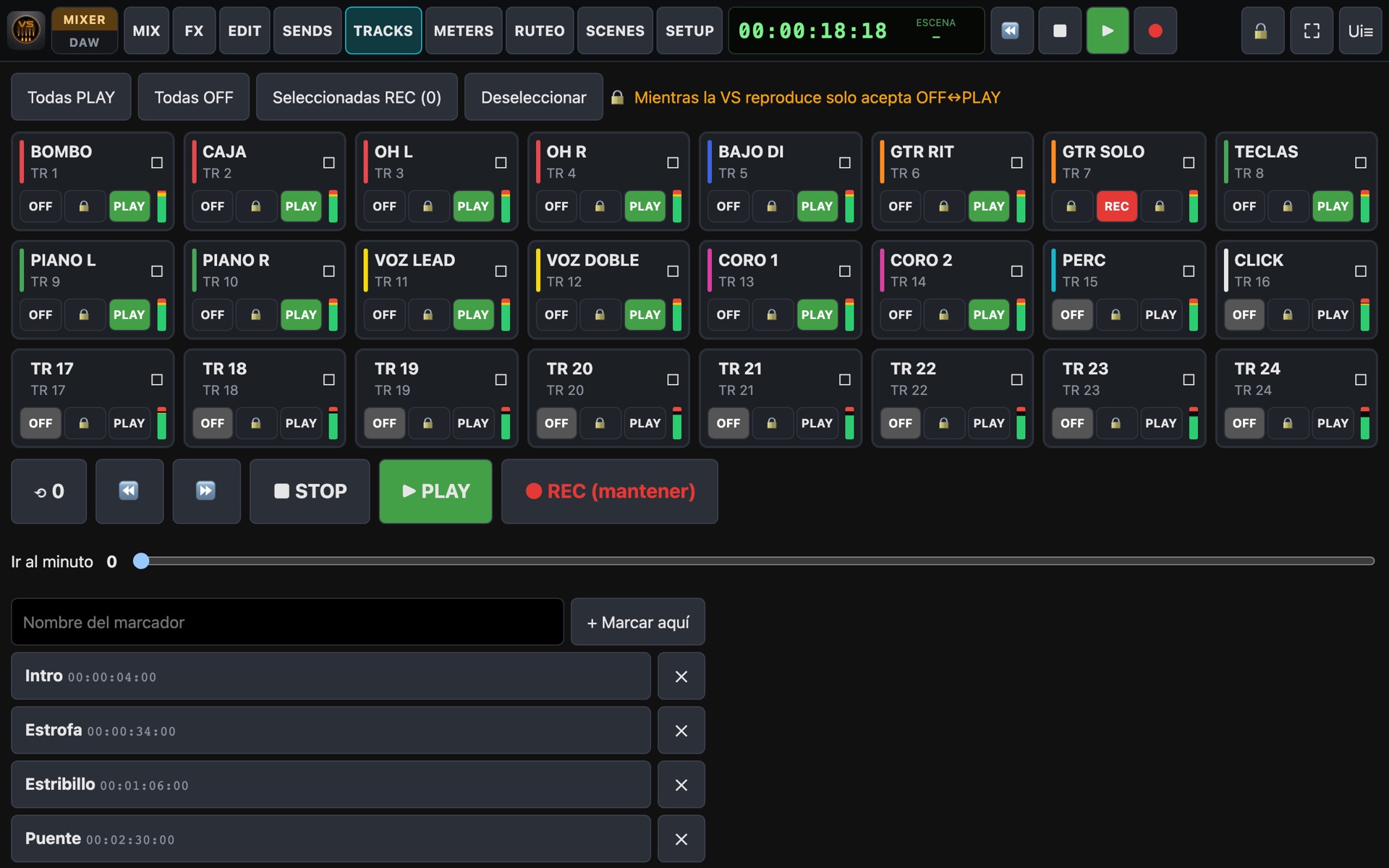
Tracks & transport

Record from wherever you are

Arm tracks, run the transport and locate the recording to the exact spot.

  • Status of each track: OFF / REC / PLAY (and SOURCE on models that have it).
  • All to PLAY, all to OFF, or arm several for REC at once.
  • Play, stop, rewind, fast-forward and REC with confirmation.
  • Keyboard shortcuts: Space = play/stop, arrows = markers.
Tracks page
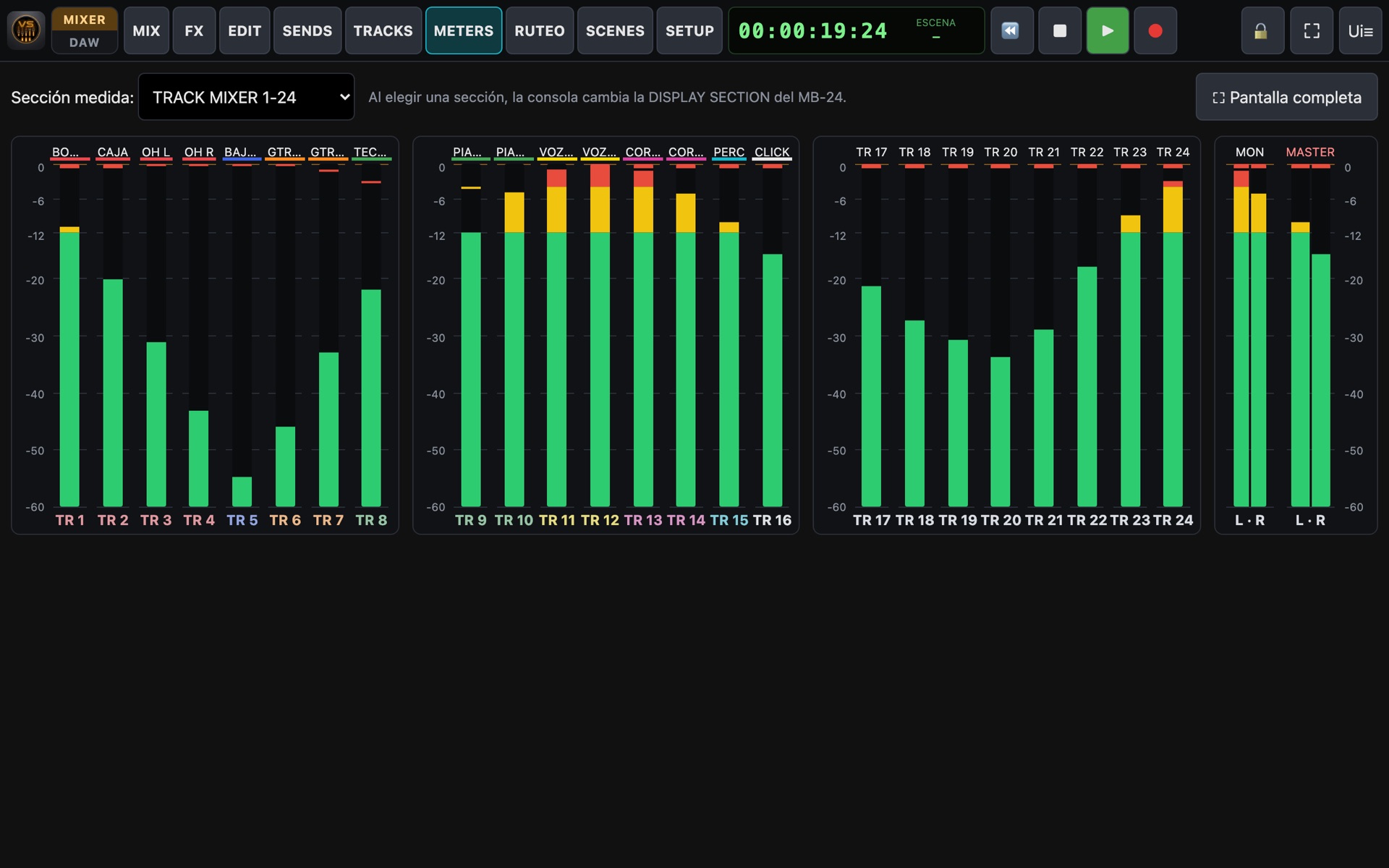
Meters

A meter bridge on any screen

Real-time meters on every strip and a dedicated page with 24 channels plus monitor and master.

  • dB scale with marks and 0 dB highlighted.
  • Meters follow the layer you are looking at.
  • Full-screen mode.
Meter bridge
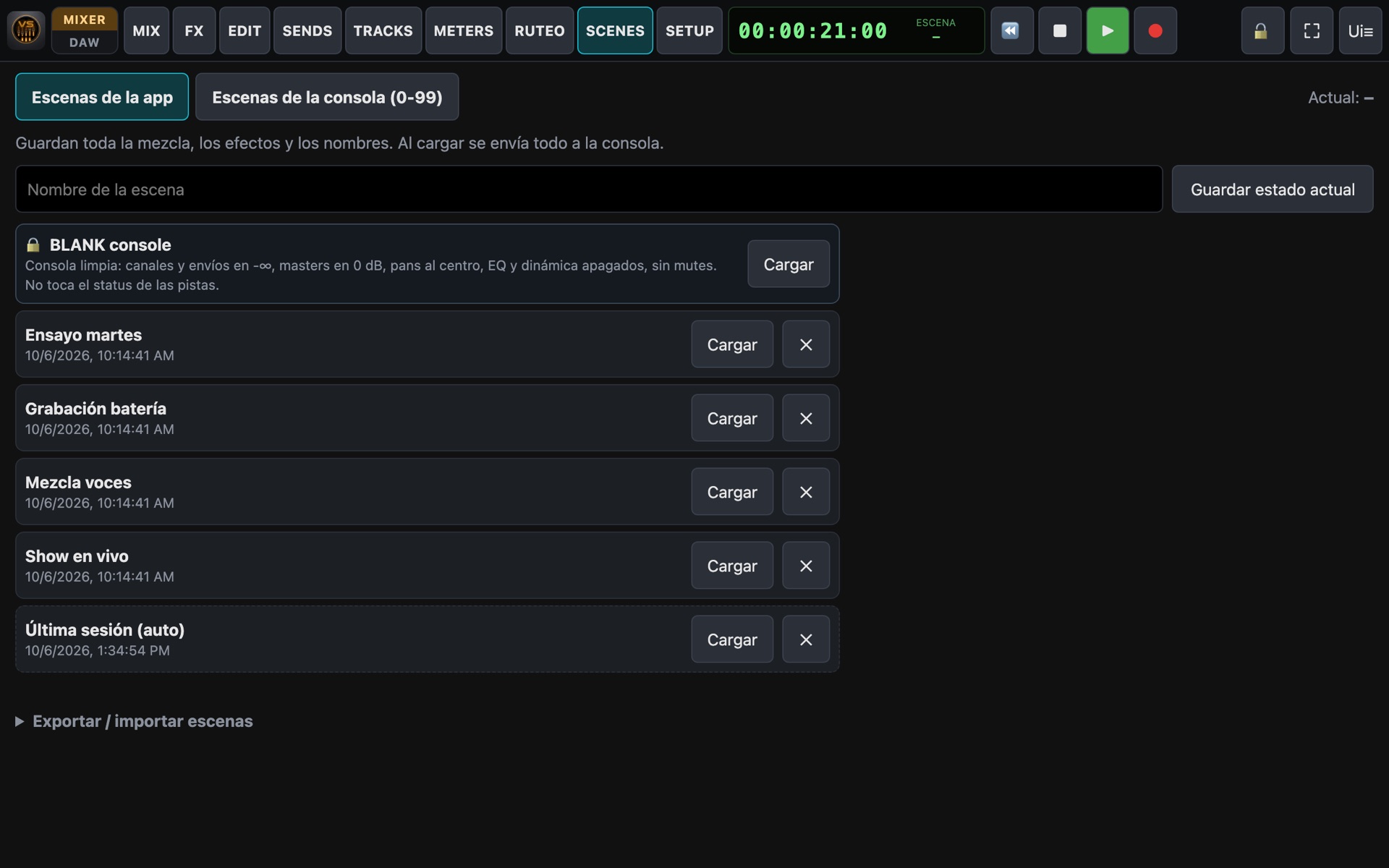
Scenes & backup

The whole mix in one tap. And in one file.

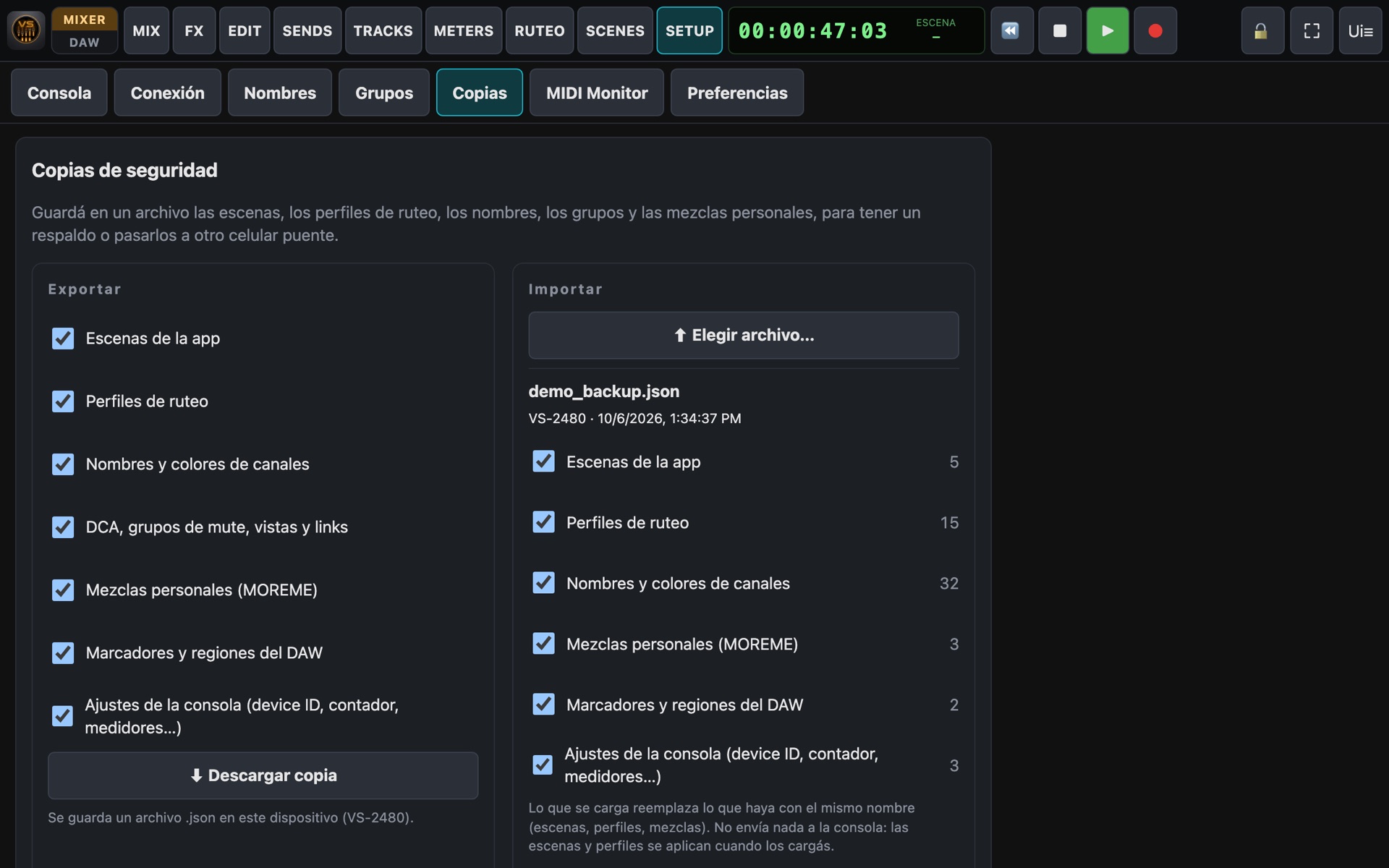
Save the complete state with a name and recall it any time. Export scenes, routing profiles, names, groups and personal mixes to a file, and load them on another device.

  • Faders, pans, sends, mutes, EQ, dynamics, effects, names and colours.
  • BLANK scene to start from scratch and auto-save of the last session.
  • Access to the console's own scenes (100 on the VS-2480, 8 on the others).
  • Backups: choose what to export and preview a file's contents before loading it.
Scenes
Backup and restore
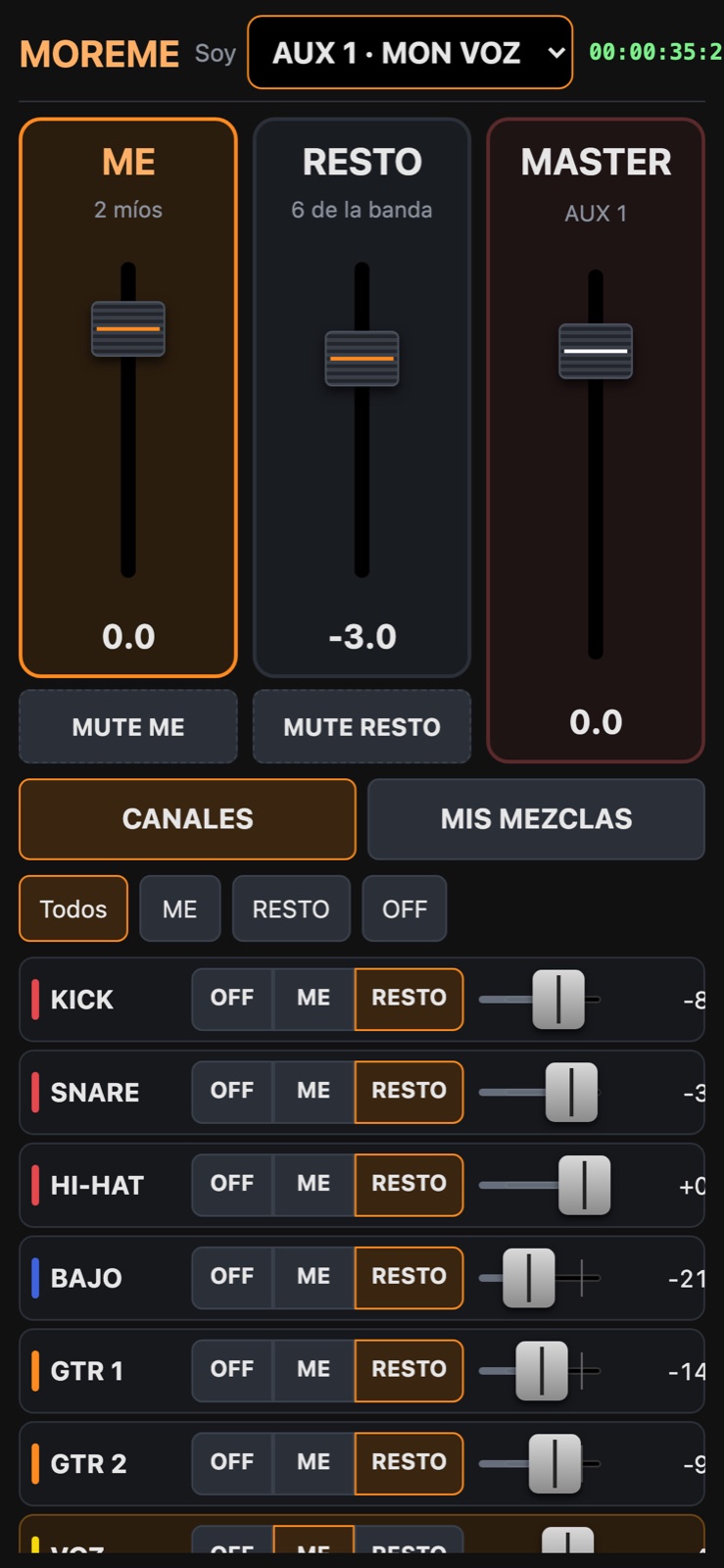
MOREME

Personal monitoring from each musician's phone

On a phone, VS_Remote opens straight into the personal monitor. Each musician picks their aux and builds their headphone mix.

  • ME (my channels) and REST (the band) as two big controls.
  • Each channel: out of my mix, ME or REST, with its level.
  • Named saved mixes.
  • A personal link per musician: it can only touch their aux.
MOREME on a phone
Several models

Detects your console and adapts

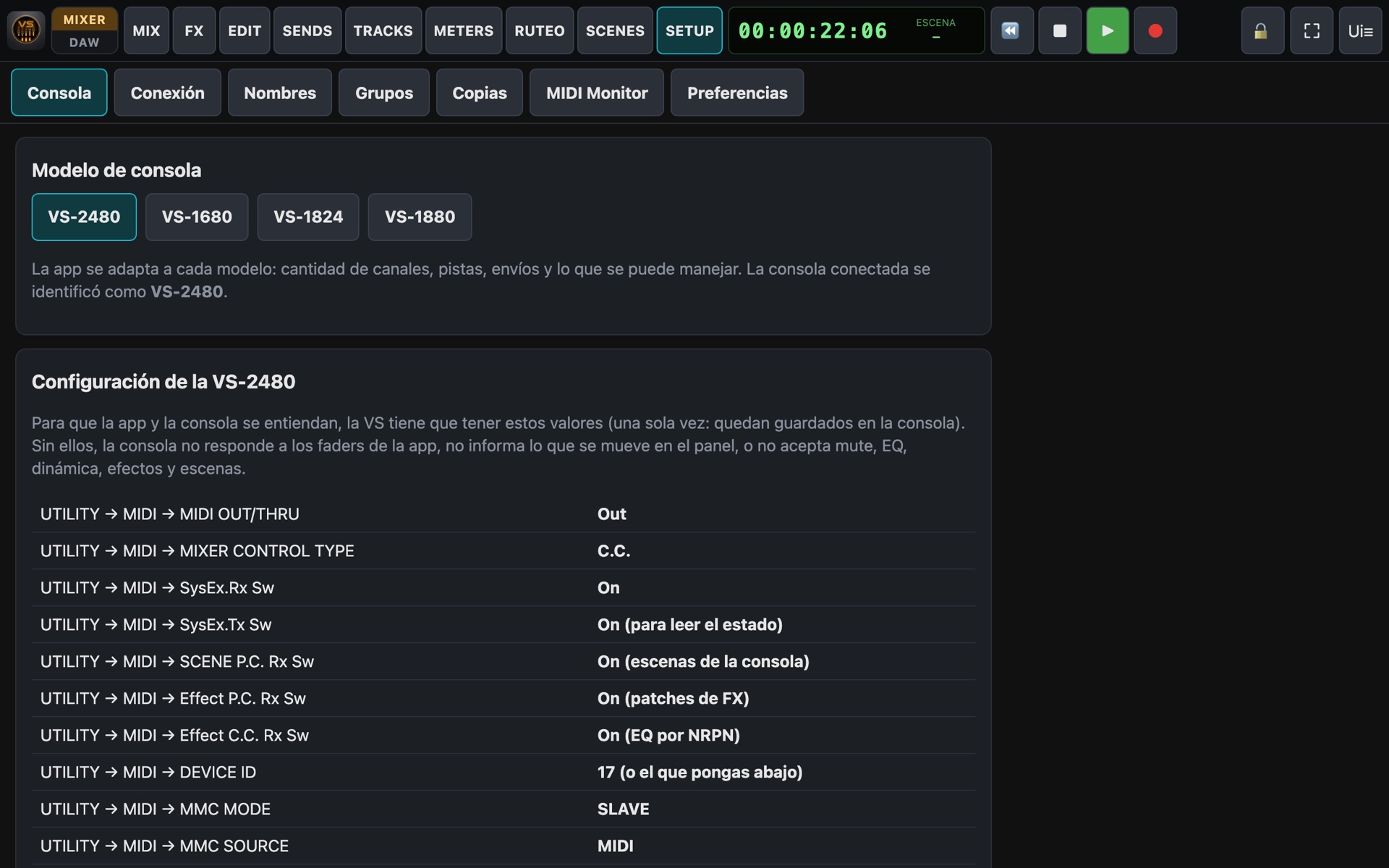
When connected, VS_Remote identifies the console and asks you to confirm it. Screens adapt to the model, and the setup guide shows the exact settings your VS needs.

  • VS-2480, VS-1880, VS-1824, VS-1680.
  • Channels, tracks, sends and effects per model and installed boards.
  • Demo mode: try the app without a console, emulating the model you choose.
Console setup
Live & studio

Built not to fail

Locked screen

The bridge phone keeps working with the screen off, in your pocket.

Auto reconnect

If a tablet loses WiFi, it reconnects on its own and restores the state.

Lock & PIN

Lock the screen to avoid accidental moves, and protect the console with a PIN.

Full screen

No browser bars on Android, iPad and laptops. Installable as an app.

Specifications

Requirements & compatibility

ItemDetail
ConsolesVS-2480, VS-1880, VS-1824, VS-1680.
Bridge phoneAndroid 8.0 or later, with USB OTG.
MIDI interfaceStandard USB-MIDI adapter (5-pin MIDI IN and OUT). Recommended: a USB hub to charge the phone at the same time.
NetworkA WiFi router. No Internet needed.
Control screensAny tablet or laptop with a modern browser (iPad, Android, Windows, Mac, Linux). Phones: MOREME personal monitoring.
Tablet installNone: opens in the browser by scanning a QR code. Can be added to the home screen as an app.
AudioNo audio is transmitted: control and meters only. Sound stays on the console's connections.
ProtocolMIDI: Control Change, SysEx, NRPN, MMC and MTC, depending on the model.
FeatureVS-2480VS-1880VS-1824VS-1680
Faders, pans & sends✓ 24 + 24✓ 10 + 18✓ 10 + 18✓ 10 + 16
Send buses✓ 8 AUX + 8 DIR✓ 5 (FX + AUX)*✓ 5 (FX + AUX)*✓ 5 (FX + AUX)*
Effect processors✓ 2 built in, up to 8✓ up to 4 (1 or 2 boards)✓ 2 built in, up to 4✓ up to 4 (1 or 2 boards)
Effect editing & presets✓✓✓✓
EQ✓ 4 bands + filter, graphic✓ 3 bands✓ 3 bands✓ 3 bands
Channel dynamics✓via inserted effectsvia inserted effectsvia inserted effects
Console scenes100888
Routing & profiles✓ full (patchbays, buses, inserts, direct outs)✓ recording, buses, inserts, outputs✓ recording, buses, inserts, outputs✓ recording, buses, inserts, outputs
48V phantom from the app✓ IN 1-8— (panel switch)— (panel switch)— (panel switch)
dB scale✓0-127 values0-127 values0-127 values
DAW mode, takes & projects✓✓✓✓
Scenes, backup & MOREME✓✓✓✓

* VS-1680, VS-1880 and VS-1824: with one effect board the sends are FX1, FX2, AUX1, AUX2 and AUX3; with two boards, AUX1 and AUX2 become FX3 and FX4 (FX1-4 + AUX). On those models, compression is done by inserting a dynamics effect on the channel.

Ready to give your VS a second life?

Tell us which console you have and we'll help you get started.

Get VS_Remote